
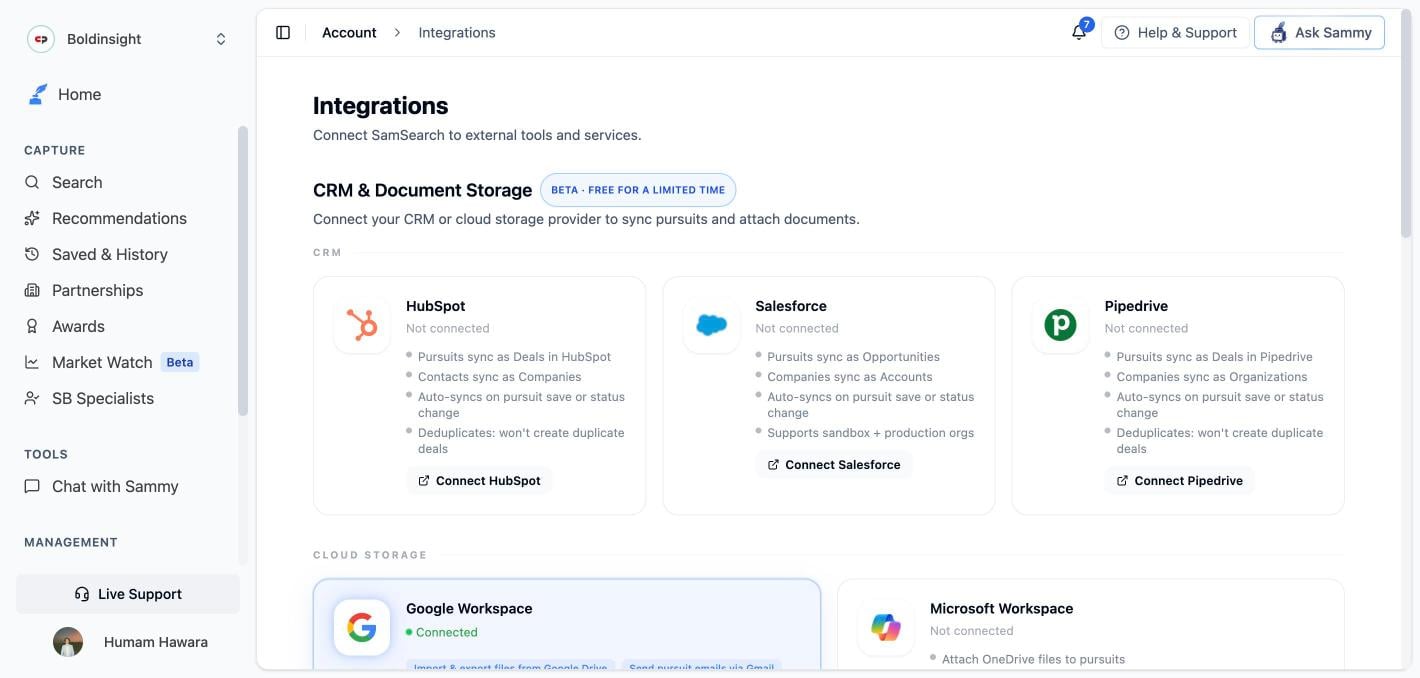
CRM, Cloud Storage & Messaging
Who can connect what: CRM and messaging (Slack/Teams) connections are shared across your whole organization — connecting or disconnecting one requires the owner or admin role. If you’re not an admin, the Connect/Disconnect button is locked with an Admin access required note. This isn’t one of the individual permissions an admin can grant a Member — to manage these integrations, a teammate needs the Admin role. Google Workspace and Microsoft Workspace connections are personal — any team member can connect their own account without needing admin rights.If an integration isn’t available on your plan, clicking Connect opens an Unlock dialog instead of starting the connection, with options to email support@samsearch.co or book a 15-minute call.
CRM
Connect your CRM to sync pursuits and manage your pipeline across both tools. Pushes from SamSearch to your CRM happen in real time — the moment you save a pursuit or change its status, not on a delay or a periodic poll.HubSpot
- Pursuits sync as Deals in HubSpot
- Contacts sync as Companies
- Auto-syncs in real time on pursuit save or status change
- Matches existing deals by name to avoid duplicates
Salesforce
- Pursuits sync as Opportunities
- Companies sync as Accounts, with Contacts linked via an Opportunity Contact Role
- Auto-syncs in real time on pursuit save or status change
- Supports sandbox + production orgs
Pipedrive
- Pursuits sync as Deals in Pipedrive
- Companies sync as Organizations, with linked People
- Auto-syncs in real time on pursuit save or status change
- Matches existing deals to avoid duplicates
Cloud Storage (Workspace)
Google Workspace
- Import and export files between Google Drive and pursuits
- Send pursuit emails via Gmail
- Sync due dates to Google Calendar (with Google Meet scheduling)
- Works with shared drives
Microsoft Workspace
- Import and export files between OneDrive/SharePoint and pursuits
- Send pursuit emails via Outlook
- Sync due dates to Outlook Calendar (with Teams meeting scheduling)
- Reuses your Microsoft 365 login — no extra sign-in
Messaging & Notifications
Slack and Microsoft Teams connect at the organization level, requiring the owner or admin role — see the scope note above. SamSearch recommends connecting with a dedicated work account rather than a personal one, so the connection survives someone leaving the team.
Slack
- Pursuit notifications and @mentions as DMs
- Two channel digests: new AI-matched leads, and proposal/outline-ready
/sammy(or/samsearch) slash command to search or chat with Sammy
Microsoft Teams
- Pursuit notifications and @mentions as DMs
- Two channel digests: new AI-matched leads, and proposal/outline-ready
- Chat with @Sammy, and schedule Teams meetings with pursuit contacts
Requesting an integration
Using a tool SamSearch doesn’t connect to yet? Click the blue Request integration button in the top-right of the Integrations page header, or the dashed Request an integration card under Something missing? (just below the Messaging & Notifications cards) — both do the same thing. Your request goes to the SamSearch team through the in-app support messenger, where you can tell us which tool you need.Government Sources — GSA eBuy
GSA eBuy sends private requests for quotes (RFQs) to contractors on GSA schedules. SamSearch gives every organization a unique inbound email address; once you add it as a Point of Contact in eBuy and SamSearch finishes activating the connection, those RFQs appear in Search under the GSA eBuy source automatically.GSA eBuy works differently from the integrations above: it has no search box of its own — every eligible RFQ is surfaced automatically — and, unlike other sources, eBuy opportunities can’t be dismissed.
Connection states
These states apply to every CRM, Google Workspace, Microsoft Workspace, Slack, and Teams card (GSA eBuy uses its own states — see its setup guide).
To disconnect any of these, click Disconnect on the card and confirm. Disconnecting stops future syncs immediately; it doesn’t delete anything already sent to the other tool.