
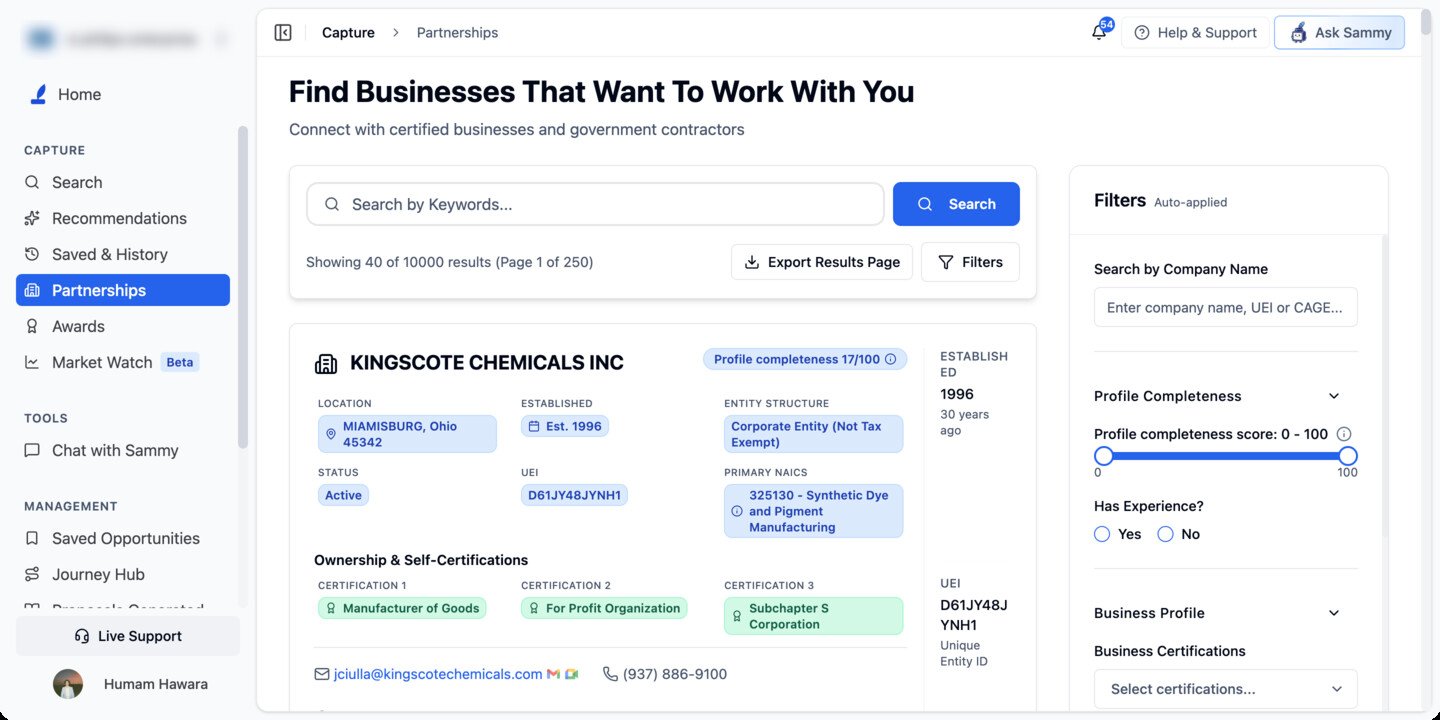
Partnerships requires SLED access, which comes with the Pro and Enterprise plans. Without it, this page isn’t available.
Finding partners
Two independent search boxes feed the same result list:- Keywords (top of the results panel) — searches capability/industry text.
- Search by Company Name (in the filter sidebar) — matches on company name, UEI, or CAGE code.
Filters
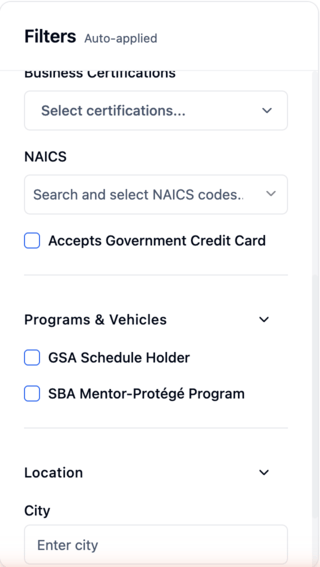
Matching any or all
Once you pick two or more Business Certifications or two or more NAICS codes, an Any | All switch appears next to that filter’s label:- Any (the default) — companies matching at least one of your selections
- All — only companies matching every selection
Coming back to your results
Your filters, page number, and scroll position are kept for the current browser tab. Open a company’s profile and click Back, or leave Partnerships from the sidebar and return, and you land where you left off. Use the reset control in the filter panel to clear everything and start fresh. Default results are 40 companies per page.Reading a company card
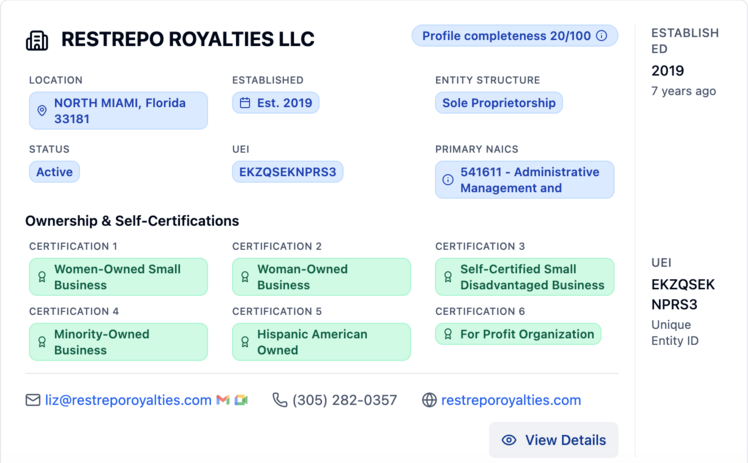
Contact details are never gated. Email, phone, and website show as plain, clickable text on every card and on the full profile — there’s no “reveal contact,” credit-based unlocking, or upgrade prompt on this data.
Status: Expired means the company’s SAM.gov registration has lapsed — a company can’t be awarded a federal contract in that state, so prioritize Active partners for active bidding.
Exporting results
Export Results Page downloads the current page as a CSV (partnerships-page-{n}-{date}.csv). Like Awards, the profile-completeness score is exported as a Profile Completeness Score column, and this exports only the page you’re viewing — with the default 40-per-page size, that’s a maximum of 40 companies per export, and there’s no bulk “export all matching results” option. To build a larger list, page through your results and export each page, then combine the files yourself.
Company profile detail page
Click View Details to open the company’s detail page.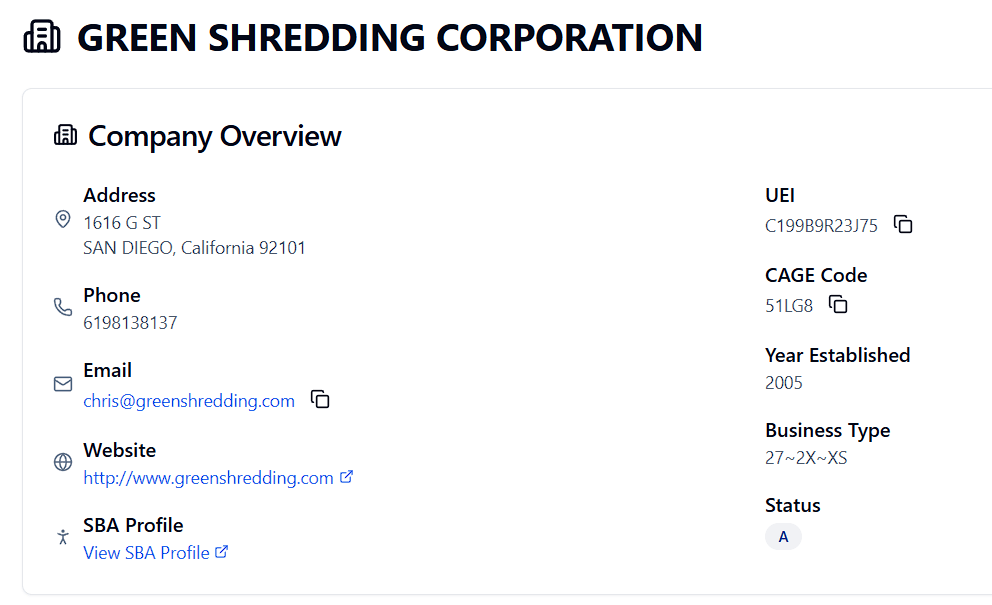
Company Overview
Address, Phone, Email (copy icon), Website (external link), SBA Profile link, UEI (copy icon), CAGE Code (copy icon), Year Established, Business Type (SAM.gov’s raw entity-type code string), and Status. The header also shows the company’s Profile completeness score, plus badges for GSA (a GSA Schedule holder) and Mentor or Protégé (the company’s role in the SBA Mentor-Protégé Program), where they apply.GSA Schedule and Mentor-Protégé sections
Two more sections appear only for companies they apply to:- GSA Schedule — the company’s GSA contract vehicles, contract numbers, and categories.
- SBA Mentor-Protégé Program — the company’s Mentors and/or Protégés, each with name and UEI. Click one to open that company’s own profile page — useful for finding a mentor’s other protégés, or a well-connected mentor to approach.
Profile tabs
Tabs appear in a fixed order but are hidden entirely (not shown empty) when a company has nothing to put in them — so which tabs you see varies by company, but their order never shifts.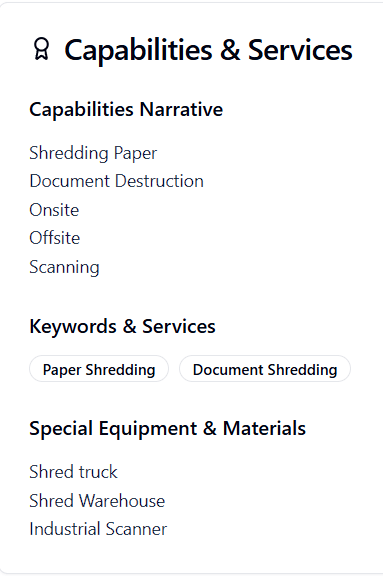
Partnerships on contract pages
Tip: On any Federal contract page, scroll to the Partnerships tab. SamSearch suggests companies whose NAICS codes and certifications align with that specific opportunity — filtered to your bid strategy needs.
Tips
- Use the Profile completeness score slider to focus on more complete, better-documented profiles — remember it measures profile completeness, not company size or fit to a specific opportunity.
- Filter by NAICS (full 6 digits) to match your exact industry. With several codes selected, leave the switch on Any to cast a wide net, or switch to All for companies registered under every one.
- Need a partner who can sell through a GSA Schedule, or want to find mentors and protégés? Use the Programs & Vehicles filters.
- Copy UEI and CAGE from the profile page for teaming paperwork.
- Check the Awards & Subawards tab before outreach to verify relevant contract history.
- Use the Partnerships tab on Federal contract pages for opportunity-specific suggestions.