

Header
- Notice Type badge — Solicitation, Award, Special Notice, etc., as reported by SAM.gov
- Active / Inactive badge — shown only when SAM.gov reports a status on the notice; this badge is federal-only
- Solicitation ID — SAM.gov notice identifier
- Agency + Sub-Agency — each links to its own spending analytics page
- Posted Date and Due Date — reflect whichever amendment is selected in the sidebar, or the base notice if none is selected
The SAM.gov + PIEE merge
Federal opportunities are cross-referenced from two sources: SAM.gov, and PIEE (Procurement Integrated Enterprise Environment), the DoD procurement system, which SamSearch checks for DoD amendments that don’t always appear on SAM.gov. A notice’s source shows as SAM, PIEE, or both — you’ll see the same badge on individual attachments and amendment cards further down the page, so you always know which system a given file or update came from. This is also why some DoD notices show more amendment history than what SAM.gov itself displays.Amendment and history details are checked the first time you open a notice, so opening a notice you haven’t viewed before can take a moment longer while SamSearch looks for the latest amendment.
Main sections
Smart Summary
AI overview of requirements, purpose, deadlines, and response expectations.Description
Full solicitation text. If the notice has amendments, the section label reads “Original Posting” or “Amendment N” depending on which one you have selected in the sidebar.Attachments
Supporting files with View, Download, and Summarize (PDF/DOC/DOCX only, and only for files that aren’t restricted, deleted, or oversized). Attachments carry status badges that are worth knowing before you assume a file is simply missing:
For DoD notices with amendments, this section splits into a Base Solicitation Attachments block plus one card per amendment, each carrying its own SAM or PIEE source badge.
History timeline
Horizontal, scrollable timeline of every notice sharing the same solicitation number — Posted, Updated, Amended, Awarded, and Cancelled events, oldest to newest. The current notice is highlighted and non-clickable; every other point links to that version of the notice.Sidebar
- Amendments — dropdown listing every revision, latest first, each badged Latest or Historical. Selecting a SAM revision navigates to that revision’s own page; selecting a PIEE-only amendment updates the current page in place.
- Classification — NAICS Code (linked), Product/Service Code (linked), FPDS Code, Set Aside.
- Contact Information — Primary and Secondary contact, with compose/schedule actions available on the email address.
- Location — formatted place of performance.
Market Intelligence tabs
Federal contracts include four research tabs at the bottom of the page: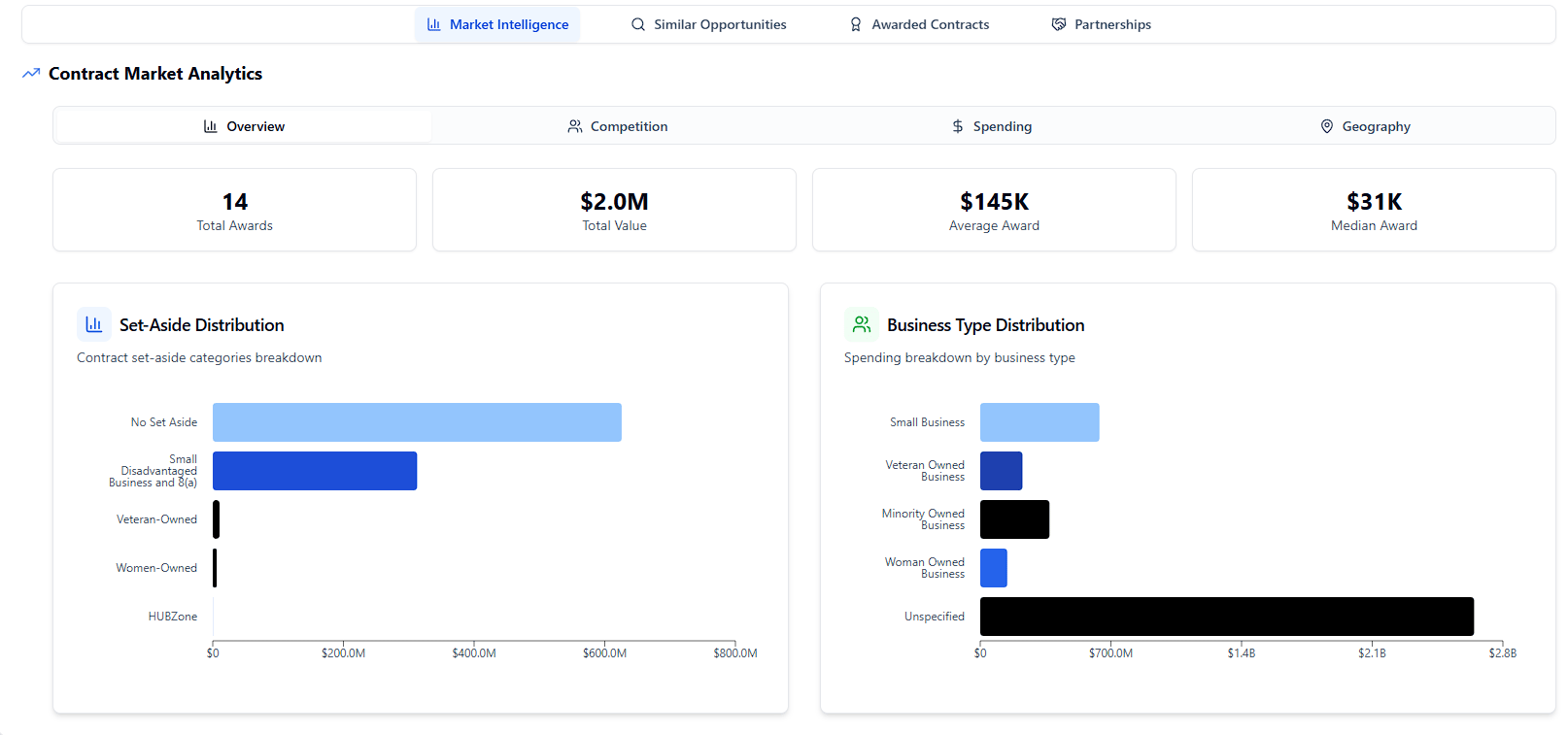
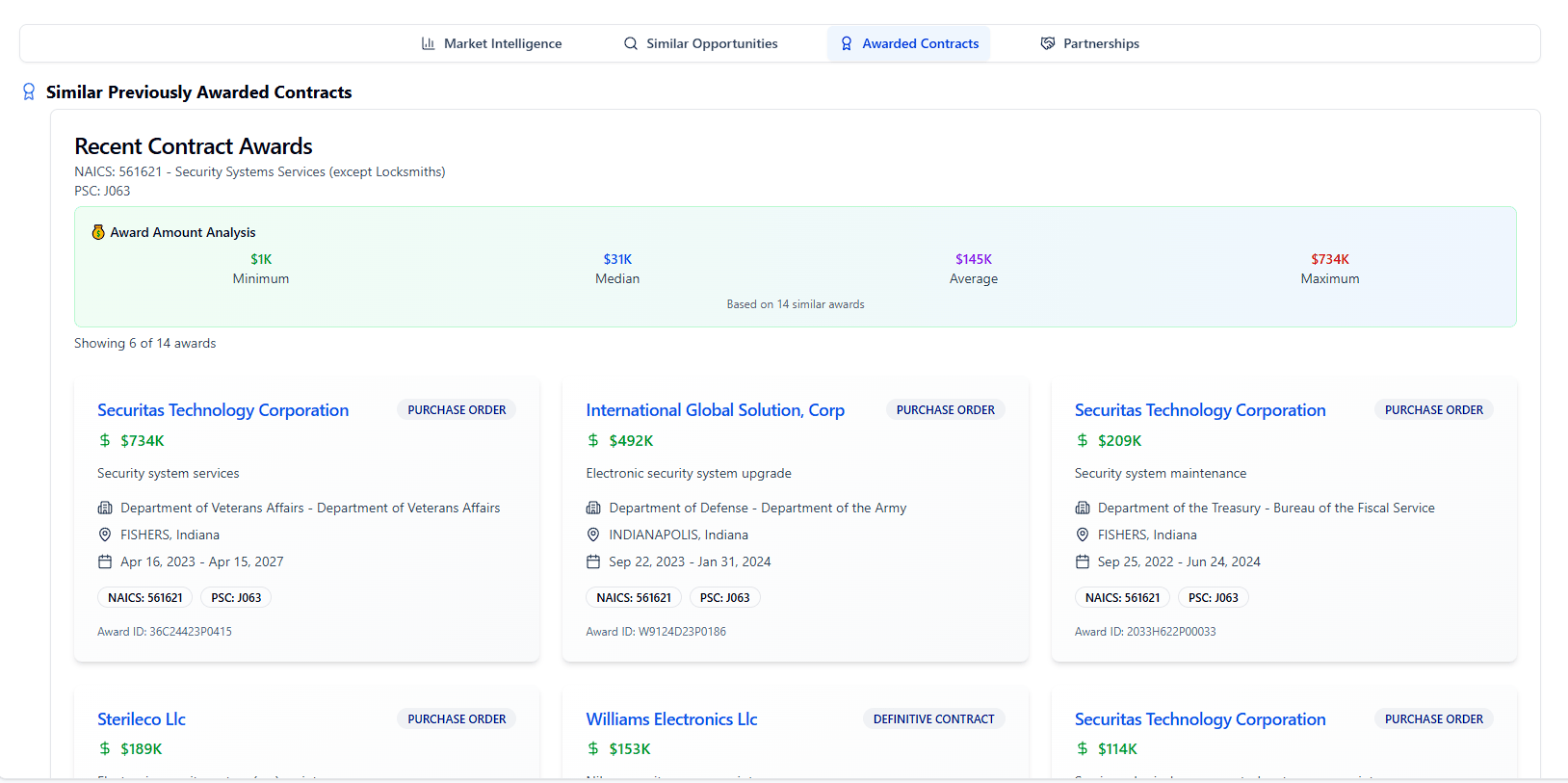
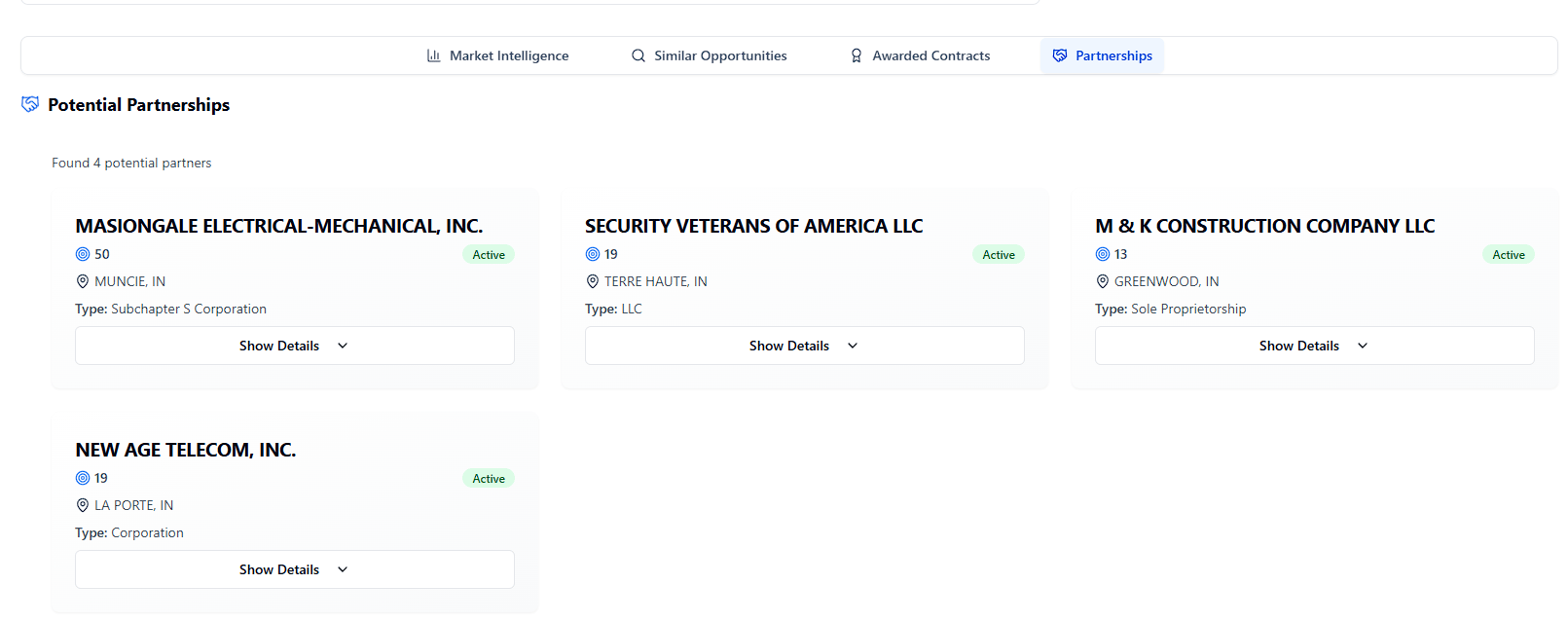
Market Intelligence and Awarded Contracts pull live from USAspending.gov, so their freshness follows USAspending’s own data, not SamSearch’s. Use the Partnerships tab to find subcontractors or teammates for this specific contract — see Partnerships for the full company directory.
Back to Contract Overview
Compare all source types and shared actions.