
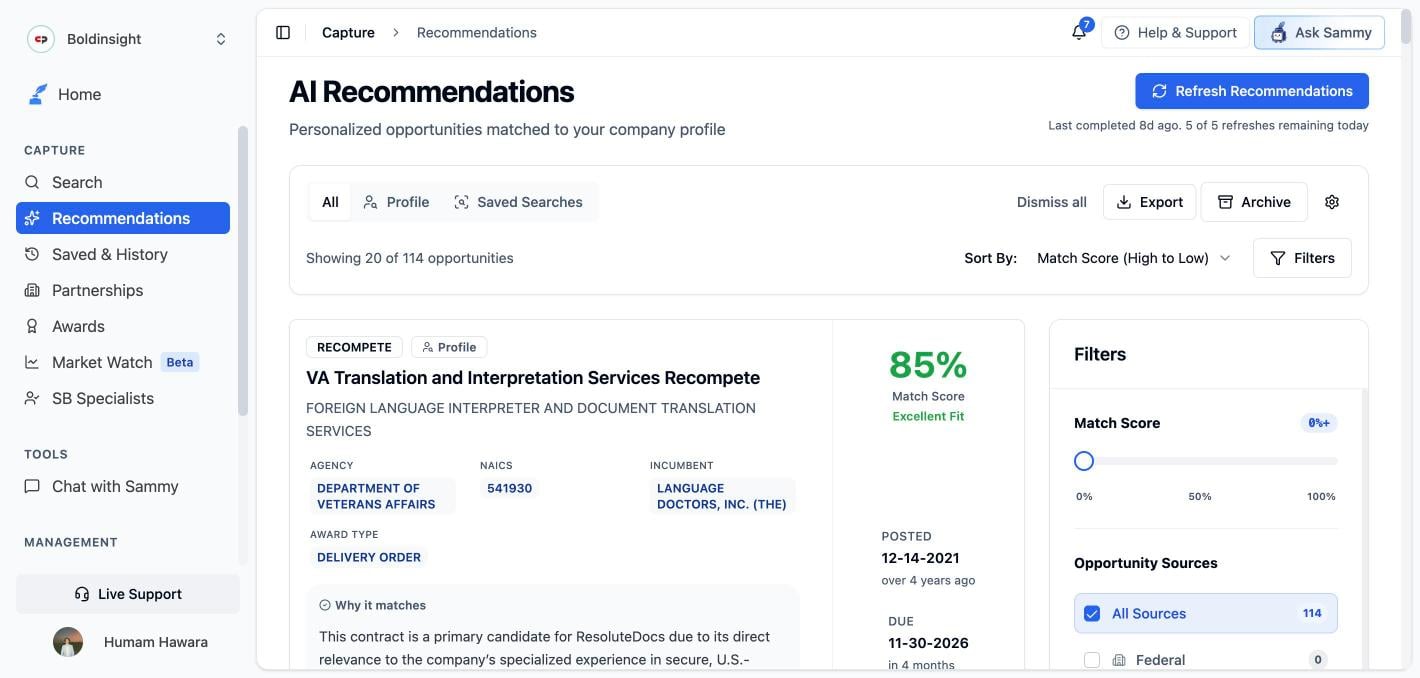
How AI Recommendations work
The four-stage pipeline behind every match, plus a troubleshooting checklist for when results look wrong.
Getting your first recommendations
1
Complete your Company Profile
Add positive keywords, NAICS/PSC codes, and a business description in Company Profile. At least one of these needs to be filled in — with none set, generation is skipped even though the run reports success. See the signal gate for details.
2
Refresh recommendations
Click Refresh Recommendations to run a new analysis. Every account shares a daily cap on manual refreshes.
3
Review your matches
Browse recommended opportunities sorted by match score. Each card explains why it’s a fit.
4
Take action
Save it, start a Journey, give feedback, or open the full opportunity.
Tabs
The Recommendations page has three tabs:- All — Every recommended opportunity across all sources
- Profile — Opportunities matched directly against your Company Profile
- Saved Searches — Opportunities qualified through your saved searches’ scheduled email alerts (see AI Qualification)
The Profile and Saved Searches feeds are generated differently. Clicking Refresh Recommendations only regenerates the Profile feed — Saved Searches results update when that saved search’s scheduled alert runs, not on manual refresh.
Refreshing

Empty states
If the page is empty, the message tells you why:- “No opportunities match your filters” — your filters (a match score above 0%, limited sources, or the New-only toggle) are hiding everything. The message names the active filters and offers Clear filters.
- “Your profile is set up — run a refresh…” — your profile is complete but no run has produced results yet. Click Refresh Recommendations right from the empty state.
- Update Company Profile — your profile doesn’t have enough to match on yet (see the signal gate).
If recommendations don’t appear after a refresh, contact support@samsearch.co.
Reading your results
Match score
Each card shows a score from 0–100% with a fit label:
The score is a weighted blend of four dimensions — strategic fit, structural fit, scope alignment, and value & risk. See the full breakdown for how they’re weighted.
You may also see a Needs review badge (the AI couldn’t confirm fit from the available attachments) or a Low fit badge (related to your work, but something is blocking it). Whether you see these at all depends on your Recommendation volume — Low fit results only appear at Everything in my space, and Needs review results are hidden at Strong matches only. Both badges are explained in the pipeline breakdown.
View Analysis
Click View Analysis on any card to expand the full breakdown:- Why this matches — every reason the opportunity fits your profile
- Potential misalignments — reasons it might not be a fit
- Verify before you bid — a checklist of things worth confirming before you commit
The Verify before you bid checkboxes are local to your current view — they reset when you collapse the card or reload the page. They’re a reading aid, not a saved checklist.
Match score reasoning on opportunity pages
Opportunity pages show the same match score alongside the reasoning behind it — what lines up with your profile, and where it’s a stretch — so you can see why something scored the way it did without leaving the opportunity.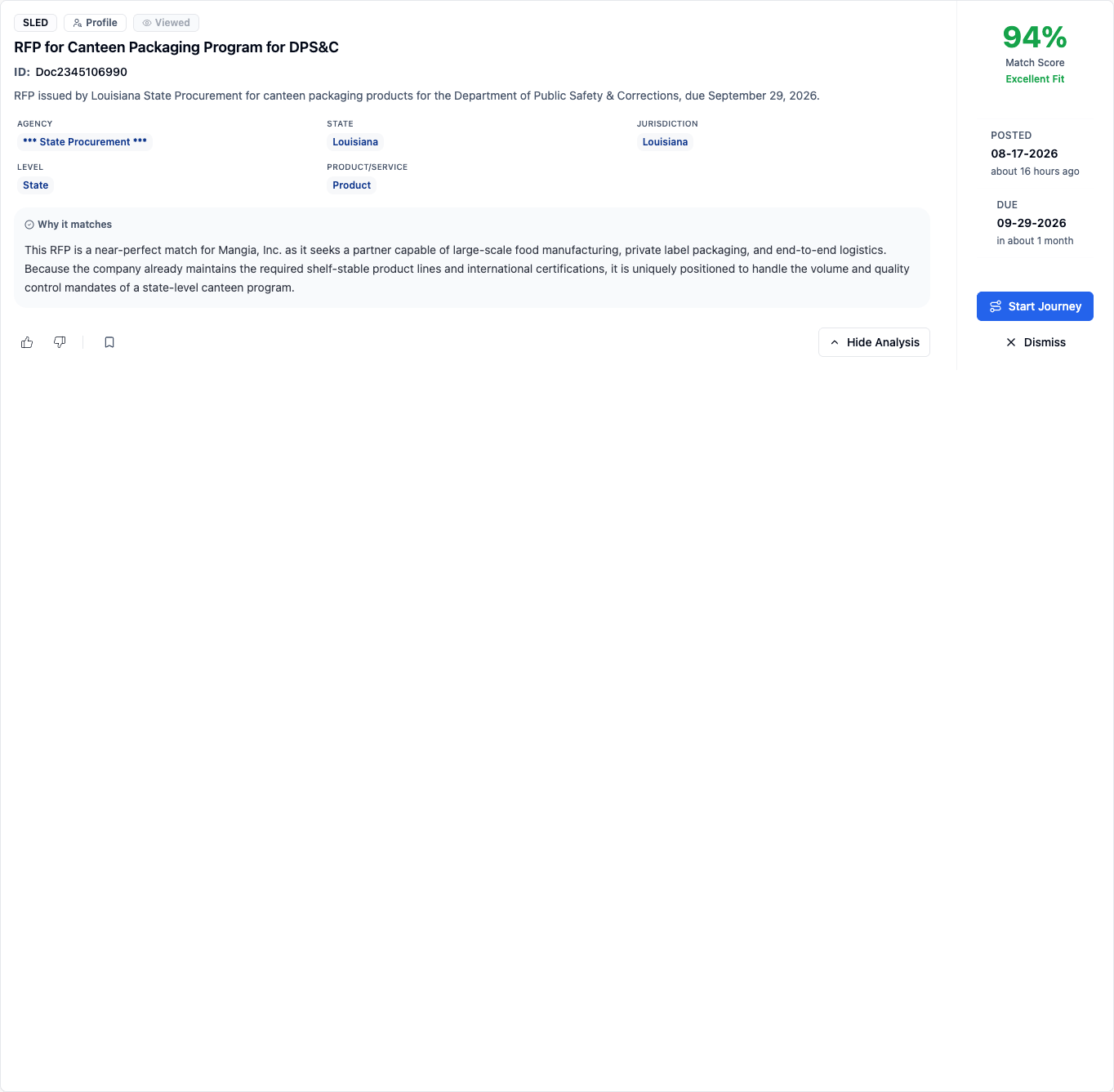
If an opportunity was screened out or scored low during qualification, the contract page shows an explanatory banner instead of a match score. See the “not recommended” banner.
Giving feedback

- Thumbs up adds the opportunity to Journey Hub and tells the AI what made it a good match.
- Thumbs down dismisses the opportunity and tells the AI what made it a poor fit.
Feedback is folded into a nightly digest, not applied instantly — and it can only move future scores, never cause an outright reject. See Learned insights for what it does and doesn’t change.
Filtering & sorting
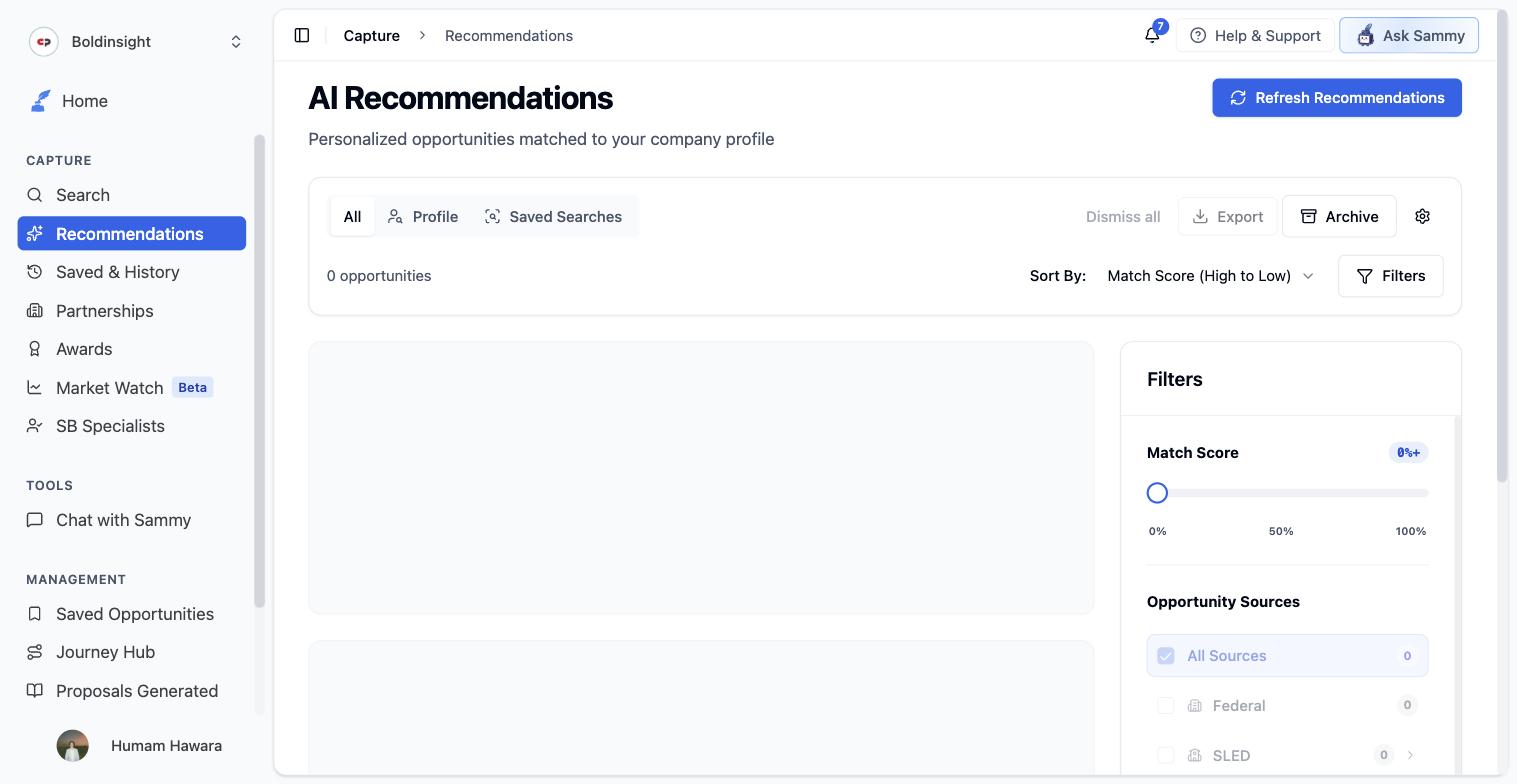
- Match Score slider — Set a minimum threshold (0–100%); recommendations below it are hidden from view
- Opportunity Sources — Show only specific sources: Federal, SLED (State/Local/Education), GSA eBuy, DIBBS, Canada, Recompete, Forecasts, Subcontracting, Grants, SBIR/STTRs
Grants, SBIR/STTRs, and Canada are opt-in for recommendations — they won’t appear until you turn them on for recommendations in the Sources & Alerts tab of your Company Profile. GSA eBuy is also off for recommendations by default and has no toggle there.
Acting on recommendations
For each recommended opportunity:- View Analysis — Expand the full AI breakdown
- Thumbs up / down — Give feedback that feeds the nightly learning digest
- Save — Add to Saved Opportunities
- Start Journey — Create a pursuit in Journey Hub
- Dismiss (✕) — Remove from your list with no reason required — different from thumbs-down, which requires one
- Dismiss all — Archives every recommendation matching your current filters
- Export — Download the current result set as CSV
- Archive — Opens a separate page with two tabs: Dismissed (recommendations you dismissed — no restore) and Journey Hub (recommendations you turned into a Journey). See the three dismissed surfaces for how this differs from Search’s Dismissed Opportunities page.
Recommendation volume
Recommendation volume controls how much the AI shows you. Every level draws on the same sources and the same ranked results — it decides how far down that ranking you see, so you can cut the long shots or keep everything relevant. Find it in the Sources & Alerts tab of your Company Profile, between Opportunity Sources and the notification settings.- It’s per AI Profile. Each AI Profile has its own setting.
- It takes effect immediately — on the Recommendations list and in the daily email digest, including recommendations you’ve already been sent. Nothing is thrown away: loosening the setting brings back opportunities that were held below the bar, not discarded.
- It’s separate from the Match Score slider. The level decides which kinds of matches reach you; the Match Score slider under Filters then hides anything below the score you pick.
- Changing it requires the owner or admin role, or the Edit company profile permission. Without it, the options are shown but can’t be changed.
Email digest
Recommendations also regenerate once a day as part of a scheduled batch, which emails a digest of your best matches — whether you get it is set in the Notifications section of the Sources & Alerts tab of your Company Profile (see Notifications). How many matches the digest lists depends on your Recommendation volume (up to 5, 10, or 20).Improving your recommendations
Documents uploaded to your Company Profile are used for proposal generation and Sammy context — they do not affect your recommendation results. To improve recommendations, refine your Business Description, keywords, codes, and Deal Makers/Breakers instead.