> ## Documentation Index
> Fetch the complete documentation index at: https://docs.samsearch.co/llms.txt
> Use this file to discover all available pages before exploring further.
# AI-powered Search
> Find opportunities across Federal, SLED, DIBBS, Recompete, Forecasts, Subcontracting, and Grants using Smart or Keyword Search
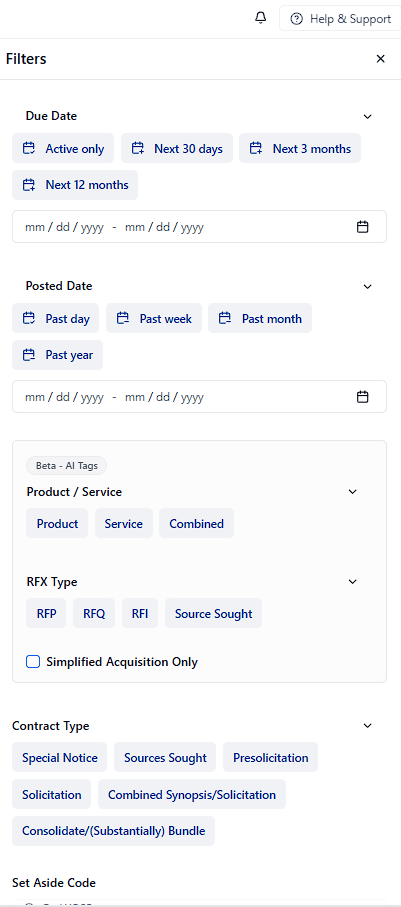
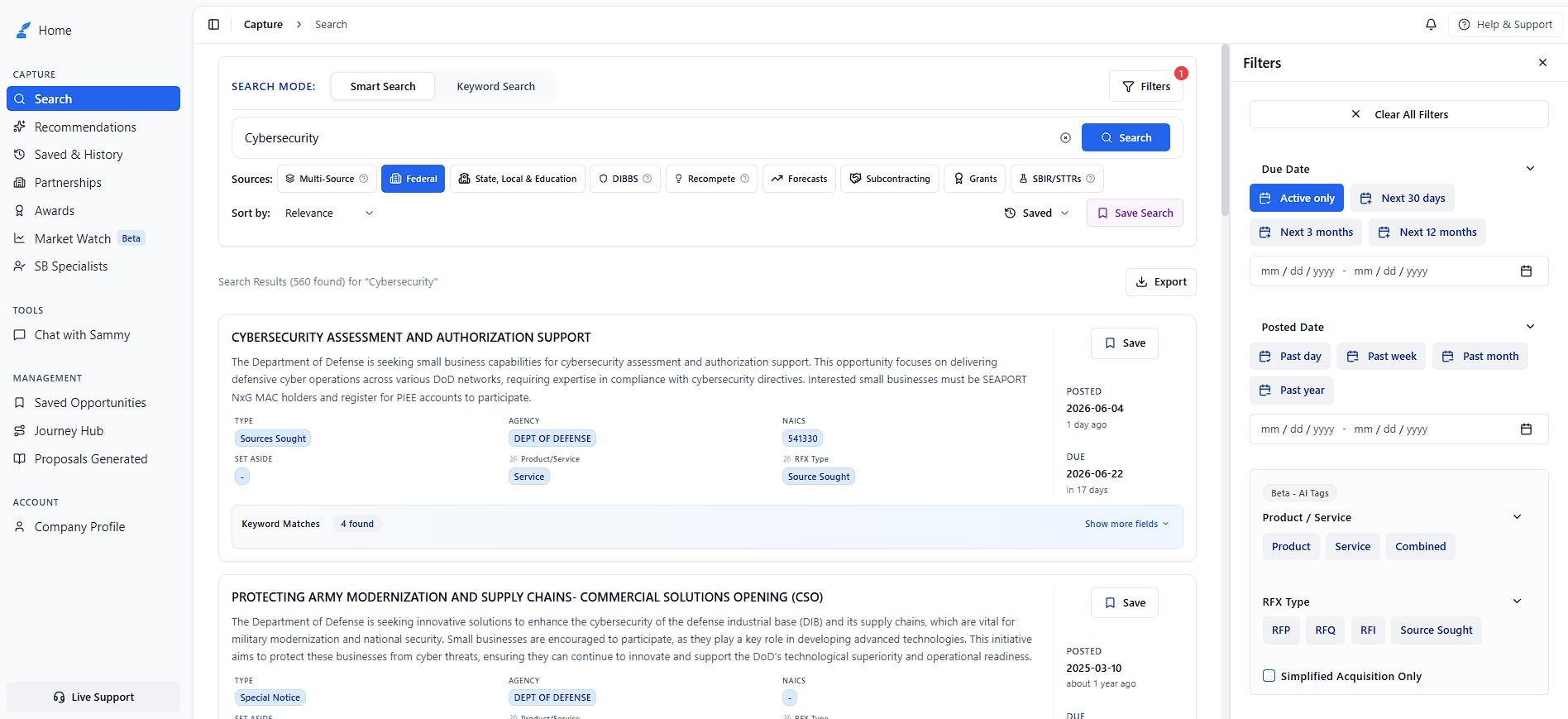
By default, Search only returns **Active** opportunities (those with a future due date). To include expired or future-scheduled opportunities, open **Filters** and adjust **Due Date**.
## Quickstart
Choose a source such as Federal, SLED, or Recompete from the sources row.
In **Smart Search** mode, type your query in plain English. Switch to **Keyword Search** when you need boolean operators.
Press **Search**, then use **Save Search** on results worth tracking. Manage saved queries on [Saved & History](/features/saved-searches).
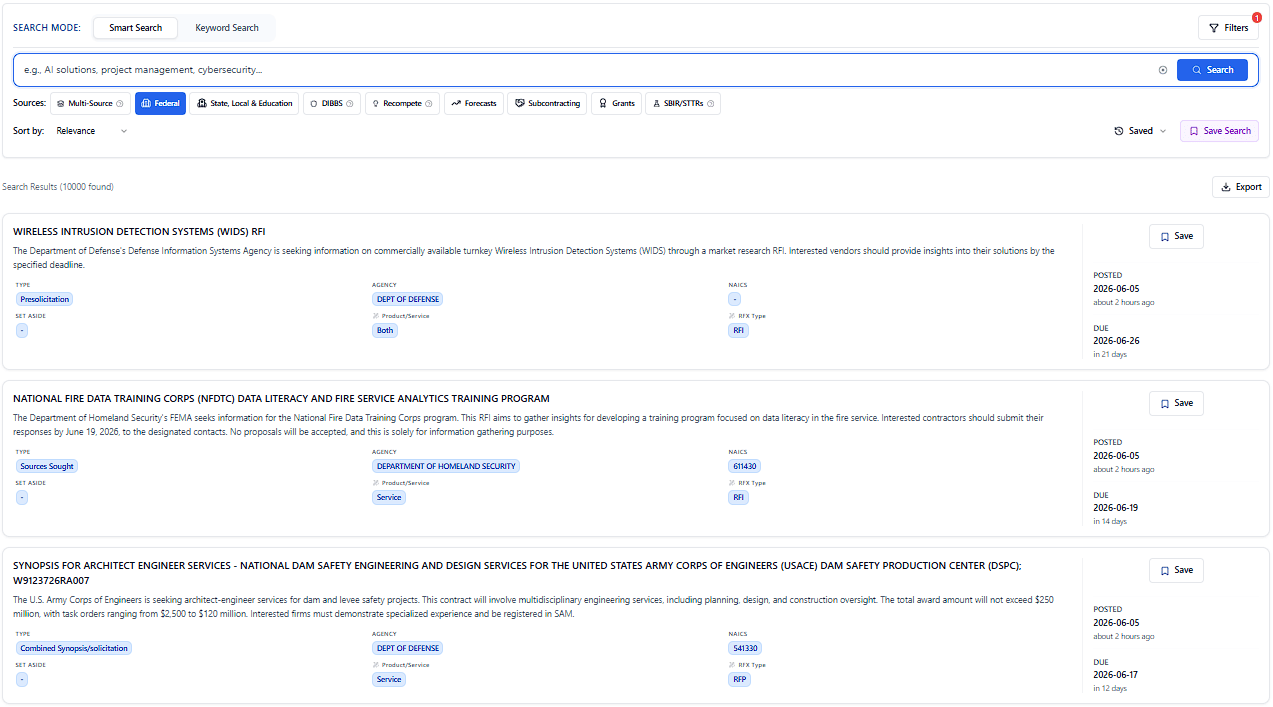
New to SamSearch? The empty Search page shows three suggested queries — click any to run an example search.
## Search modes
### Smart Search (default)
Smart Search (semantic search) uses natural language — no boolean operators required.
**Examples:**
* "AI solutions for cybersecurity"
* "construction services for government buildings"
* "software development for healthcare systems"
Search defaults to a hybrid of Smart and Keyword matching. For reproducible, operator-based queries, switch explicitly to **Keyword Search**.
### Keyword Search
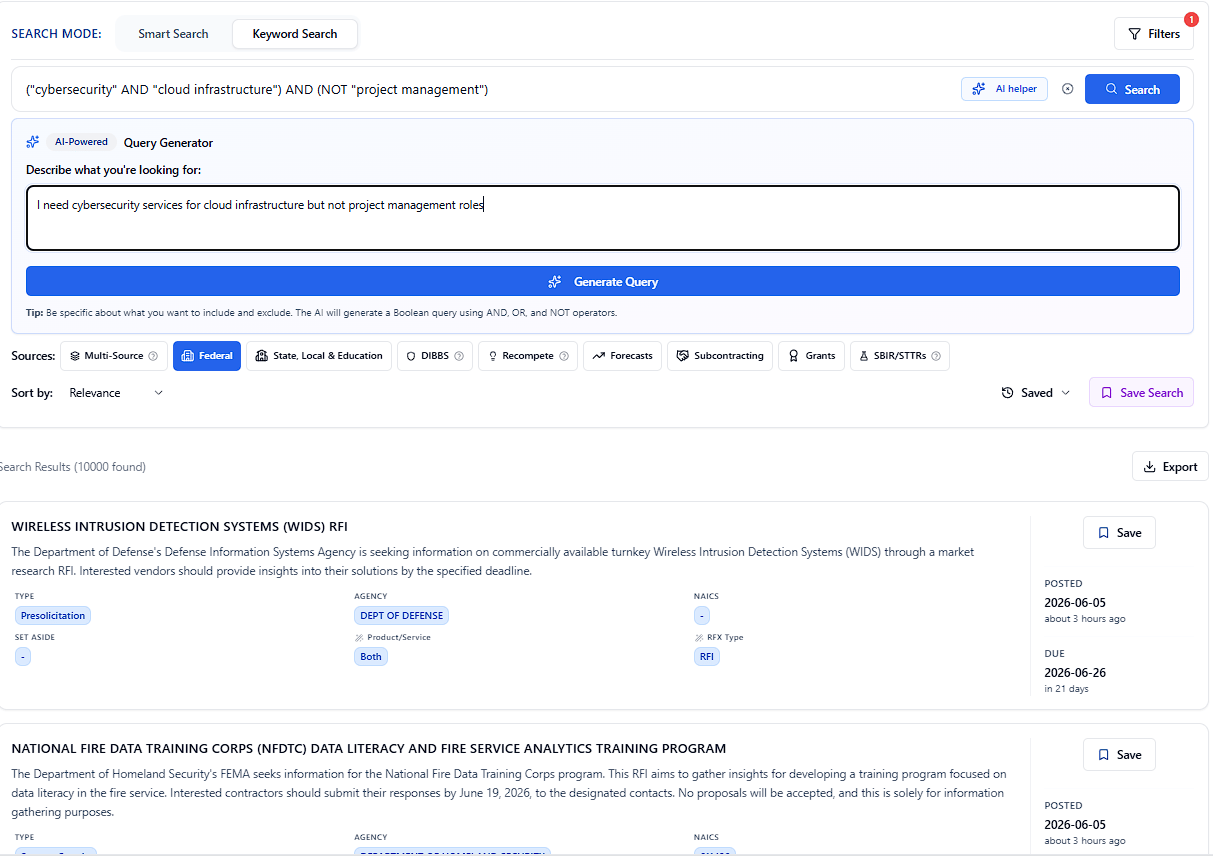
For precise control using boolean operators, exact phrases, and Lucene syntax.
**Basic examples:**
* `("cybersecurity" AND "AI") AND NOT "project management"`
* `"construction" AND ("government" OR "federal")`
* `"software" AND "healthcare" AND NOT "hardware"`
Full operator reference: wildcards, field search, ranges, proximity, and worked examples.
#### AI Query Generator
Use the **AI Query Generator** to convert plain English into Keyword Search syntax.
Example: `I need cybersecurity services for cloud infrastructure but not project management roles`
The AI converts it to syntax, e.g. `("cybersecurity" AND "cloud infrastructure") AND (NOT "project management")`
The generated query is inserted into the search box automatically.
**Use Smart Search when:**
* You want to search using natural language
* You are exploring opportunities and want broad, relevant results
* You prefer AI to understand intent and context
* You are new to government contracting searches
**Use Keyword Search when:**
* You need precise control over exact terms and phrases
* You want to exclude specific terms or concepts
* You need to search specific fields (title, summary, agency, etc.)
* You want reproducible results with AND/OR/NOT
## Sources
SamSearch supports multiple opportunity sources. Toggle between them to find opportunities that match your business.
| If you want... | Use this source |
| ---------------------------------------- | --------------- |
| Federal solicitations on SAM.gov | Federal |
| State, city, county, school RFPs | SLED |
| DLA supply / small-parts opportunities | DIBBS |
| Contracts ending soon for follow-on bids | Recompete |
| Opportunities agencies plan to release | Forecasts |
| Prime-contractor subcontracting needs | Subcontracting |
| Federal grant funding | Grants |
| Cast a wide net across sources | Multi-Source |
Search across multiple sources simultaneously.
Traditional government contracts and solicitations
State, Local, and Education contracts
Defense Logistics Agency opportunities
Upcoming contract opportunities
Subcontracting opportunities from prime contractors
Federal grant opportunities
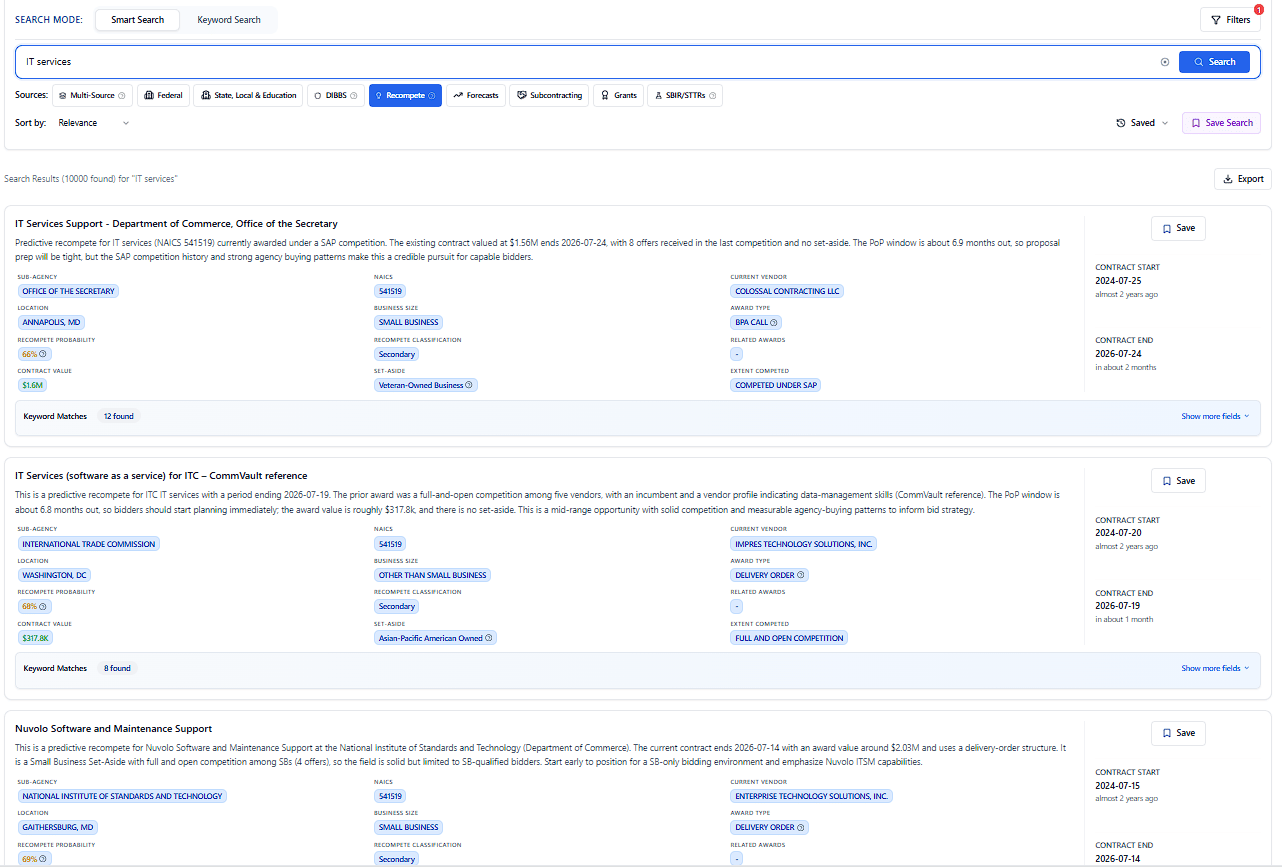
Expiring contracts likely to be recompeted
**Deprecated**: SBIR/STTR search has been removed in version 3.2.0. Use Federal search or contact support for alternatives.
## Source guides
### Federal Contracts
Federal contracts are solicitations posted on SAM.gov from agencies including DOD, GSA, VA, and more.
### SLED Opportunities
SLED covers state, local, municipal, school district, and education opportunities across **5,000+ websites**.
**Can't find a specific site?** Email [support@samsearch.co](mailto:support@samsearch.co) — we add new sources regularly.
### DIBBS Opportunities
DIBBS (Defense Logistics Agency Internet Bid Board System) lists DLA supply and service opportunities.
### Forecasts
Forecasts show upcoming opportunities agencies plan to release — useful for early pipeline building.
### Subcontracting
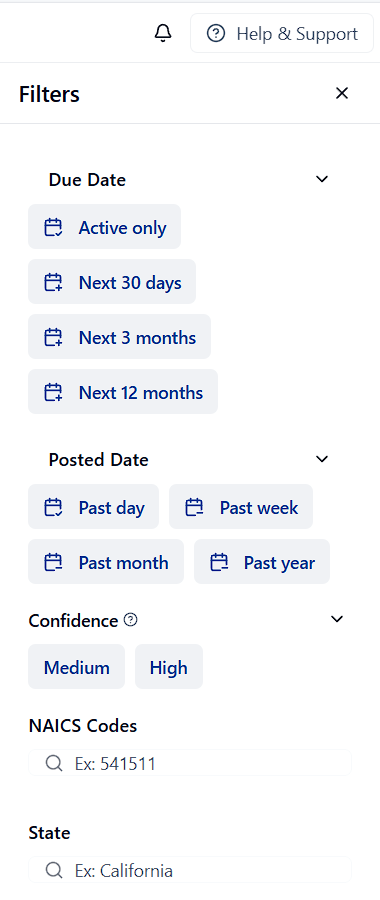
Find subcontracting opportunities posted by prime contractors. Filter by **Confidence Level** to prioritize the strongest leads.
**Active subcontracting opportunities** posted by primes seeking small business subcontractors.
**Inferred opportunities** from federal contracts with subcontracting plans (FAR 52.219-9).
**Similar to medium** but with approaching deadlines or lower contract amounts.
### Federal Grants
Federal grants from NIH, NSF, DOE, and other grant-making agencies.
### Recompete
Recompete surfaces federal contracts approaching the end of their period of performance so you can position for the follow-on award — often **6–18 months** before a new solicitation posts.
**Why recompetes matter:**
* Early identification before competitors react to posted solicitations
* Higher win probability when you understand the incumbent contract
* Strategic pipeline building from award data and agency behavior
**Filters include:** agency, NAICS, set-aside, contract value, expiration window, recompete score, and linked SAM opportunities.
Filter by **Contract End Date** to focus on contracts expiring soon and maximize preparation time.
### Multi-Source
Enable **Multi-Source** to search several sources at once. All sources are selected by default; click a source again to deselect it.
When Multi-Source is active, combined filters are disabled because each source has a different filter set.
## Filters
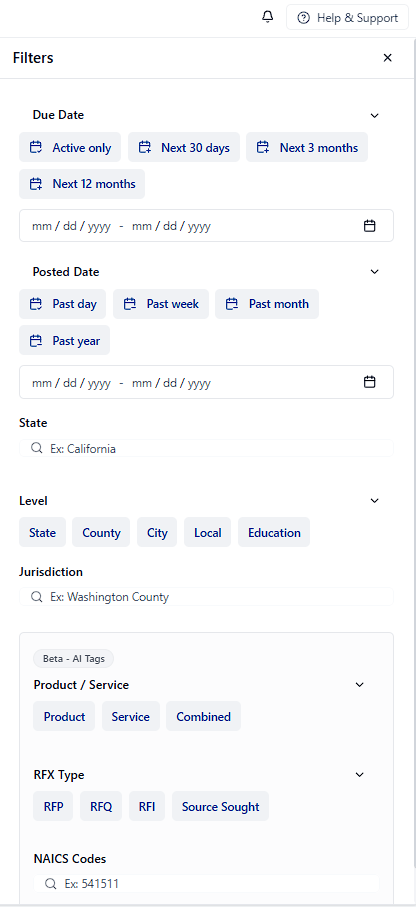
Each source has its own sort and filter options. Open **Filters** from the search bar.
| Sort by | Filter by |
| -------------- | ---------------------------- |
| Relevance | Contract type (Solicitation) |
| Due date | Dept. / Ind. Agency |
| Alphabetically | Set Aside Code |
| Posted date | State |
| Sort by | Filter by |
| ------------ | ------------------------------------- |
| Level | State, Local, City, County, Education |
| State | Specific state |
| Jurisdiction | Specific jurisdiction |
| Sort by | Filter by |
| --------------------------- | ------------- |
| Estimated solicitation date | Agency |
| Relevance | Contract type |
| Sort by | Filter by |
| ------------- | ---------- |
| Response date | Status |
| Posting date | Agency |
| Relevance | Grant type |
| Sort by | Filter by |
| -------------- | -------------------------------------- |
| Relevance | Confidence Level (High / Medium / Low) |
| Due date | Prime Contractor |
| Posted date | NAICS Codes |
| Contract value | State/Location |
| Sort by | Filter by |
| -------------- | ----------------------------------------------------- |
| Relevance | Contract End Date |
| End date | Recompete Score (High/Medium) |
| Contract value | Classification, NAICS, Agency, Set-aside, Value range |
| Posted date | Has Linked SAM Opportunities |
## Search results
Click any result to open the full opportunity. Learn more on [Contract Page Overview](/features/contract-overview).
### Export results
Click **Export** above the result list to download the current result set (respecting your filters) as CSV.
## Saving and managing results
### Save Search
Use **Save Search** to store your current query, source, mode, and filters.
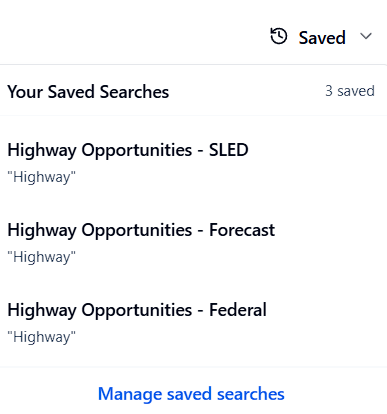
Use the **Saved** dropdown next to **Save Search** to load a previously saved query without leaving the Search page.
Manage alerts and history on [Saved & History](/features/saved-searches).
### Save opportunities
Click **Save** on any result to add it to [Saved Opportunities](/features/leads).
## Search tips
1. **Use natural language** in Smart Search for exploration
2. **Be specific** — include industry, service type, or location
3. **Try different sources** — the same work may appear under multiple categories
4. **Use filters strategically** — start broad, then narrow
5. **Save searches** — monitor markets with alerts on [Saved & History](/features/saved-searches)
Copy-paste examples for Texas SLED, recompetes, grants, subcontracting, and more.
 ## Search modes
 ### Smart Search (default)
Smart Search (semantic search) uses natural language — no boolean operators required.
**Examples:**
* "AI solutions for cybersecurity"
* "construction services for government buildings"
* "software development for healthcare systems"
### Smart Search (default)
Smart Search (semantic search) uses natural language — no boolean operators required.
**Examples:**
* "AI solutions for cybersecurity"
* "construction services for government buildings"
* "software development for healthcare systems"
 SamSearch supports multiple opportunity sources. Toggle between them to find opportunities that match your business.
| If you want... | Use this source |
| ---------------------------------------- | --------------- |
| Federal solicitations on SAM.gov | Federal |
| State, city, county, school RFPs | SLED |
| DLA supply / small-parts opportunities | DIBBS |
| Contracts ending soon for follow-on bids | Recompete |
| Opportunities agencies plan to release | Forecasts |
| Prime-contractor subcontracting needs | Subcontracting |
| Federal grant funding | Grants |
| Cast a wide net across sources | Multi-Source |
SamSearch supports multiple opportunity sources. Toggle between them to find opportunities that match your business.
| If you want... | Use this source |
| ---------------------------------------- | --------------- |
| Federal solicitations on SAM.gov | Federal |
| State, city, county, school RFPs | SLED |
| DLA supply / small-parts opportunities | DIBBS |
| Contracts ending soon for follow-on bids | Recompete |
| Opportunities agencies plan to release | Forecasts |
| Prime-contractor subcontracting needs | Subcontracting |
| Federal grant funding | Grants |
| Cast a wide net across sources | Multi-Source |
 ### Multi-Source
Enable **Multi-Source** to search several sources at once. All sources are selected by default; click a source again to deselect it.
### Multi-Source
Enable **Multi-Source** to search several sources at once. All sources are selected by default; click a source again to deselect it.

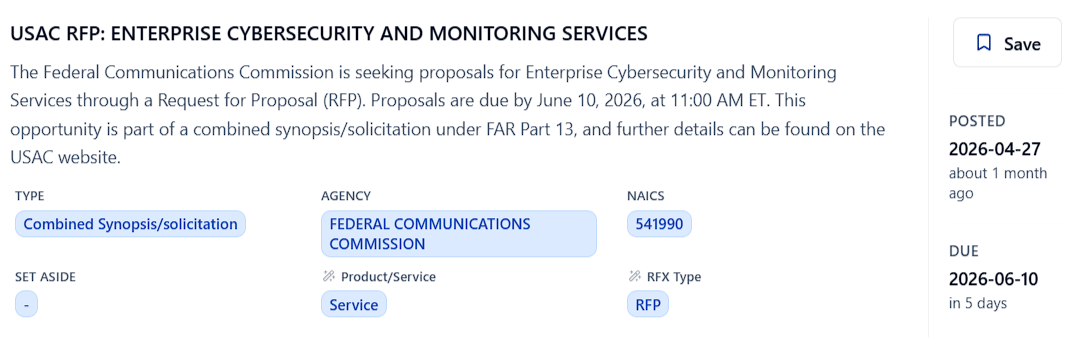 Click any result to open the full opportunity. Learn more on [Contract Page Overview](/features/contract-overview).
### Export results
Click **Export** above the result list to download the current result set (respecting your filters) as CSV.
## Saving and managing results
### Save Search
Use **Save Search** to store your current query, source, mode, and filters.
Use the **Saved** dropdown next to **Save Search** to load a previously saved query without leaving the Search page.
Click any result to open the full opportunity. Learn more on [Contract Page Overview](/features/contract-overview).
### Export results
Click **Export** above the result list to download the current result set (respecting your filters) as CSV.
## Saving and managing results
### Save Search
Use **Save Search** to store your current query, source, mode, and filters.
Use the **Saved** dropdown next to **Save Search** to load a previously saved query without leaving the Search page.