> ## Documentation Index
> Fetch the complete documentation index at: https://docs.samsearch.co/llms.txt
> Use this file to discover all available pages before exploring further.
# AI Recommendations
> Get personalized opportunity matches based on your company profile
## What Are AI Recommendations?
AI Recommendations surfaces opportunities that match your company profile — so instead of searching manually, relevant contracts come to you. The AI analyzes your NAICS codes, capabilities, certifications, and past performance to find the best fits.
 ## How It Works
Add your NAICS codes, capabilities, certifications, and business description in your [Company Profile](/features/business-profile). The more complete your profile, the better the matches.
Click **Refresh Recommendations** to trigger a new analysis. The AI scans opportunities across all sources and scores them against your profile.
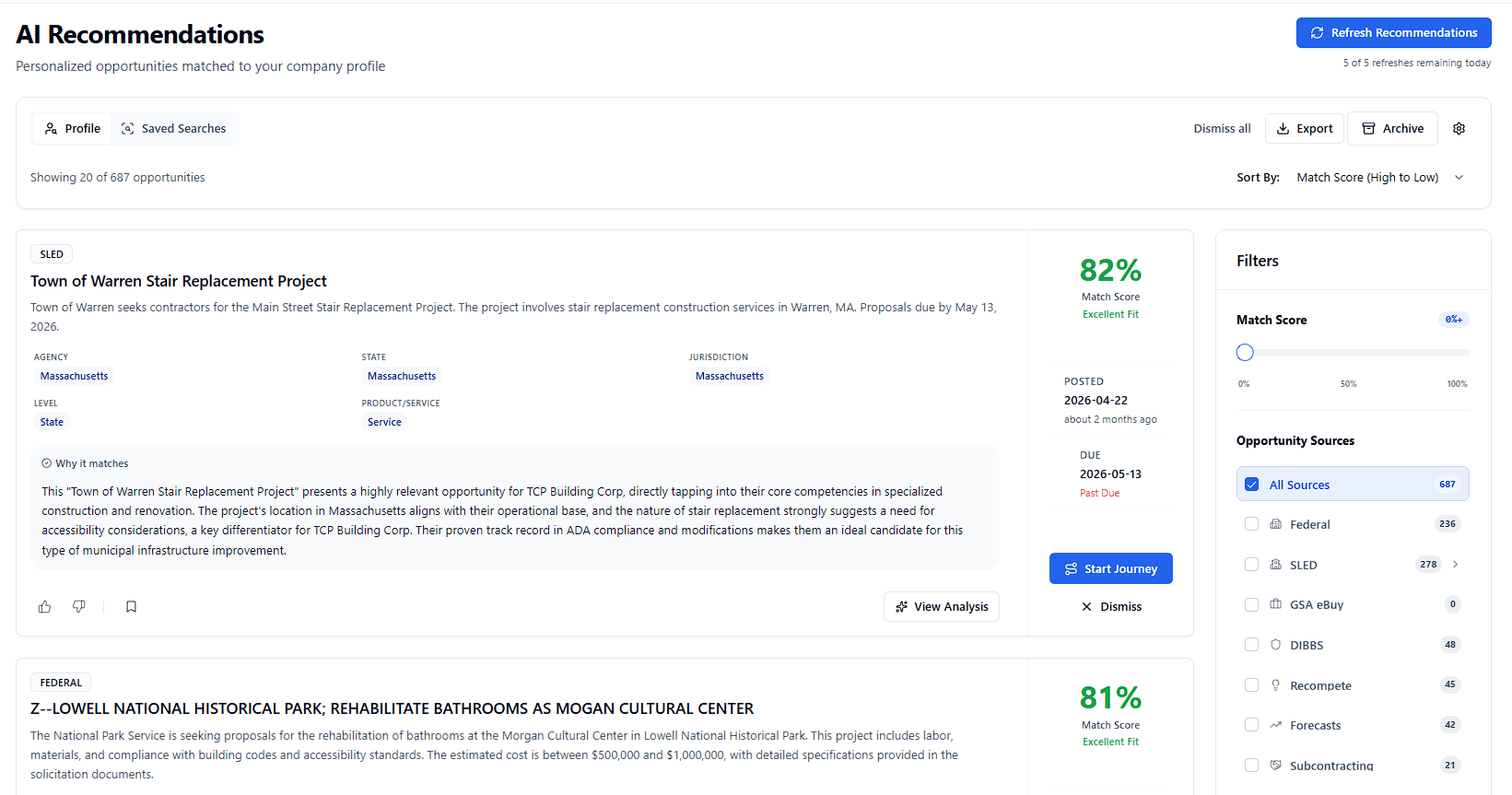
Browse recommended opportunities sorted by match score. Each card shows why the opportunity is a good fit for your company.
Save opportunities to Leads, add them to Journey Hub, or open them to analyze with Sammy.
## Refreshing Recommendations
## How It Works
Add your NAICS codes, capabilities, certifications, and business description in your [Company Profile](/features/business-profile). The more complete your profile, the better the matches.
Click **Refresh Recommendations** to trigger a new analysis. The AI scans opportunities across all sources and scores them against your profile.
Browse recommended opportunities sorted by match score. Each card shows why the opportunity is a good fit for your company.
Save opportunities to Leads, add them to Journey Hub, or open them to analyze with Sammy.
## Refreshing Recommendations
 Click **Refresh Recommendations** (top right) to run a new batch. The button shows status as it runs:
* **Refresh Recommendations** — ready to run
* **Starting...** — triggering the analysis
* **Recommendations Running** — analysis in progress
Click **Refresh Recommendations** (top right) to run a new batch. The button shows status as it runs:
* **Refresh Recommendations** — ready to run
* **Starting...** — triggering the analysis
* **Recommendations Running** — analysis in progress
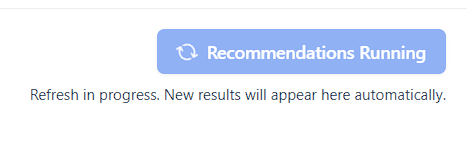 A note below the button shows how many refreshes you have remaining and when the last run completed.
### Daily refresh limit
Each account has a fixed number of refreshes per day (shown below the button as **N of N refreshes remaining today**). When the limit is reached, the button is disabled until the next day.
Refresh counts reset daily. Run a refresh when you have time to review all results rather than refreshing repeatedly.
If a refresh fails, a banner appears with error details. Contact [support@samsearch.co](mailto:support@samsearch.co) if the issue persists.
## Tabs
The Recommendations page has two tabs:
* **Profile** — AI-matched opportunities based on your company profile
* **Saved Searches** — Recommendations from your saved searches; appears once you have saved searches with alerts enabled
## Reading your results
### Match Score
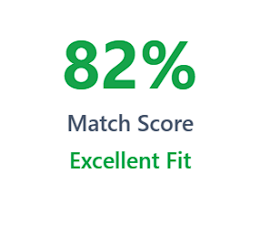
Each recommendation shows a match score from 0–100% indicating how well the opportunity fits your profile.
A note below the button shows how many refreshes you have remaining and when the last run completed.
### Daily refresh limit
Each account has a fixed number of refreshes per day (shown below the button as **N of N refreshes remaining today**). When the limit is reached, the button is disabled until the next day.
Refresh counts reset daily. Run a refresh when you have time to review all results rather than refreshing repeatedly.
If a refresh fails, a banner appears with error details. Contact [support@samsearch.co](mailto:support@samsearch.co) if the issue persists.
## Tabs
The Recommendations page has two tabs:
* **Profile** — AI-matched opportunities based on your company profile
* **Saved Searches** — Recommendations from your saved searches; appears once you have saved searches with alerts enabled
## Reading your results
### Match Score
Each recommendation shows a match score from 0–100% indicating how well the opportunity fits your profile.
 | Label | Score range | Meaning |
| ------------- | ----------- | --------------------------------------------------- |
| Excellent Fit | \~80–100% | Strong alignment across multiple profile dimensions |
| Good Fit | \~60–79% | Solid alignment with minor gaps |
| Moderate Fit | \~40–59% | Some alignment; worth reviewing |
| Low Match | \<40% | Weak alignment; likely not a fit |
### Why it matches
Each card includes a **Why it matches** section that explains in plain language why the AI scored the opportunity highly. Click to expand it. Use this for quick go/no-go decisions before opening the full contract.
| Label | Score range | Meaning |
| ------------- | ----------- | --------------------------------------------------- |
| Excellent Fit | \~80–100% | Strong alignment across multiple profile dimensions |
| Good Fit | \~60–79% | Solid alignment with minor gaps |
| Moderate Fit | \~40–59% | Some alignment; worth reviewing |
| Low Match | \<40% | Weak alignment; likely not a fit |
### Why it matches
Each card includes a **Why it matches** section that explains in plain language why the AI scored the opportunity highly. Click to expand it. Use this for quick go/no-go decisions before opening the full contract.
 ## Filtering & Sorting
Within each tab you can:
* **Match Score slider** — Filter out recommendations below a threshold
* **Source selector** — Show only specific opportunity types (Federal, SLED, Grants, etc.)
* **Sort by** — Order results by Score, Posted Date, or other criteria
Results load **20 at a time**. Scroll down to load more, or use source filters to narrow your view.
## Acting on Recommendations
For each recommended opportunity you can:
## Filtering & Sorting
Within each tab you can:
* **Match Score slider** — Filter out recommendations below a threshold
* **Source selector** — Show only specific opportunity types (Federal, SLED, Grants, etc.)
* **Sort by** — Order results by Score, Posted Date, or other criteria
Results load **20 at a time**. Scroll down to load more, or use source filters to narrow your view.
## Acting on Recommendations
For each recommended opportunity you can:
 * **Thumbs up** — Mark as relevant; helps the AI learn what matches your business
* **Thumbs down** — Mark as not relevant; trains the AI to exclude similar opportunities
* **View Analysis** — AI-generated alignment summary with strengths and gaps
* **Archive** — Move out of your active view for later review
* **Export** — Download current recommendations (respecting filters) as CSV
* **Dismiss** — Remove from your list if not relevant
* **Dismiss All** — Clear all recommendations in the current view
* **Save to Leads** — Add for later review
* **Start Journey** — Create a journey in [Journey Hub](/features/journey-hub)
* **Open opportunity** — View full details and analyze with Sammy
Using thumbs up and thumbs down regularly improves recommendation quality over time. The AI learns your preferences with each piece of feedback.
## Email Notifications
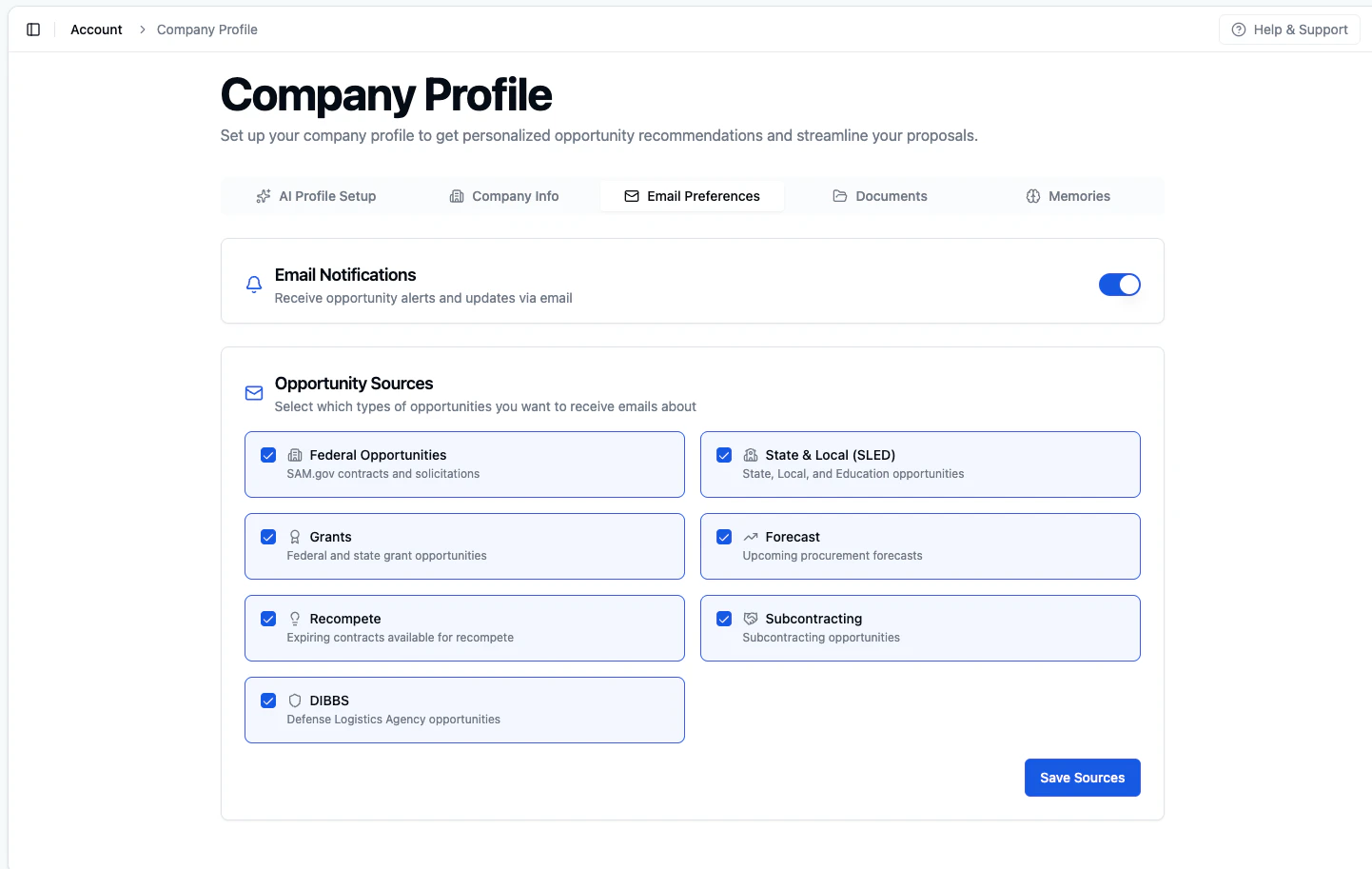
Get recommended opportunities delivered to your inbox. Configure frequency in **Email Preferences** on your [Company Profile](/features/business-profile).
* **Thumbs up** — Mark as relevant; helps the AI learn what matches your business
* **Thumbs down** — Mark as not relevant; trains the AI to exclude similar opportunities
* **View Analysis** — AI-generated alignment summary with strengths and gaps
* **Archive** — Move out of your active view for later review
* **Export** — Download current recommendations (respecting filters) as CSV
* **Dismiss** — Remove from your list if not relevant
* **Dismiss All** — Clear all recommendations in the current view
* **Save to Leads** — Add for later review
* **Start Journey** — Create a journey in [Journey Hub](/features/journey-hub)
* **Open opportunity** — View full details and analyze with Sammy
Using thumbs up and thumbs down regularly improves recommendation quality over time. The AI learns your preferences with each piece of feedback.
## Email Notifications
Get recommended opportunities delivered to your inbox. Configure frequency in **Email Preferences** on your [Company Profile](/features/business-profile).
 ## Improving Your Recommendations
Recommendation quality depends on profile completeness:
* **NAICS Codes** — Add all relevant industry codes
* **Business Description** — Describe services, expertise, and past performance
* **Certifications** — Include set-aside certifications (8(a), WOSB, SDVOSB, HUBZone, etc.)
* **Documents** — Upload capability statements and past performance records
Update your profile as your business grows to keep recommendations accurate.
## Best Practices
1. **Refresh regularly** — Run a new batch at least weekly
2. **Use thumbs up/down** — Train the model on what fits your business
3. **Keep your profile current** — Outdated NAICS codes lead to poor matches
4. **Set up email alerts** — Configure email preferences so you do not have to check manually
5. **Use both tabs** — Saved Search recommendations can surface opportunities your Profile tab might miss
## Improving Your Recommendations
Recommendation quality depends on profile completeness:
* **NAICS Codes** — Add all relevant industry codes
* **Business Description** — Describe services, expertise, and past performance
* **Certifications** — Include set-aside certifications (8(a), WOSB, SDVOSB, HUBZone, etc.)
* **Documents** — Upload capability statements and past performance records
Update your profile as your business grows to keep recommendations accurate.
## Best Practices
1. **Refresh regularly** — Run a new batch at least weekly
2. **Use thumbs up/down** — Train the model on what fits your business
3. **Keep your profile current** — Outdated NAICS codes lead to poor matches
4. **Set up email alerts** — Configure email preferences so you do not have to check manually
5. **Use both tabs** — Saved Search recommendations can surface opportunities your Profile tab might miss