> ## Documentation Index
> Fetch the complete documentation index at: https://docs.samsearch.co/llms.txt
> Use this file to discover all available pages before exploring further.
# Awards
> Access comprehensive federal awards and spending data to analyze historical contracts, understand spending patterns, and gather competitive intelligence.
 ## Overview
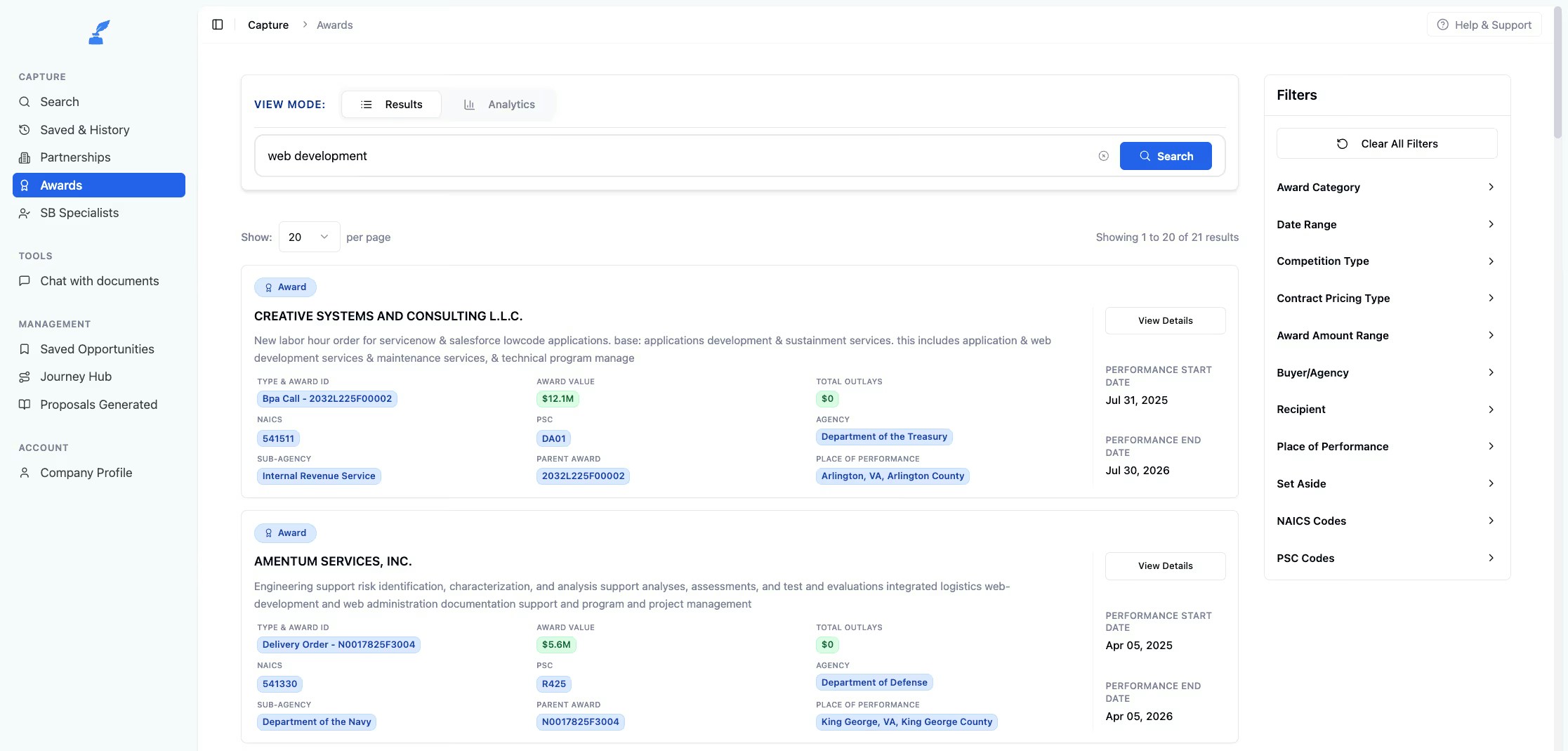
The Awards feature provides detailed information on past federal contract awards, enabling you to make data-driven decisions for your government contracting strategy.
View detailed information on past federal contract awards
Analyze spending trends and patterns over time
Track competitor performance and market share
Examine transaction-level details and modifications
## Award Details
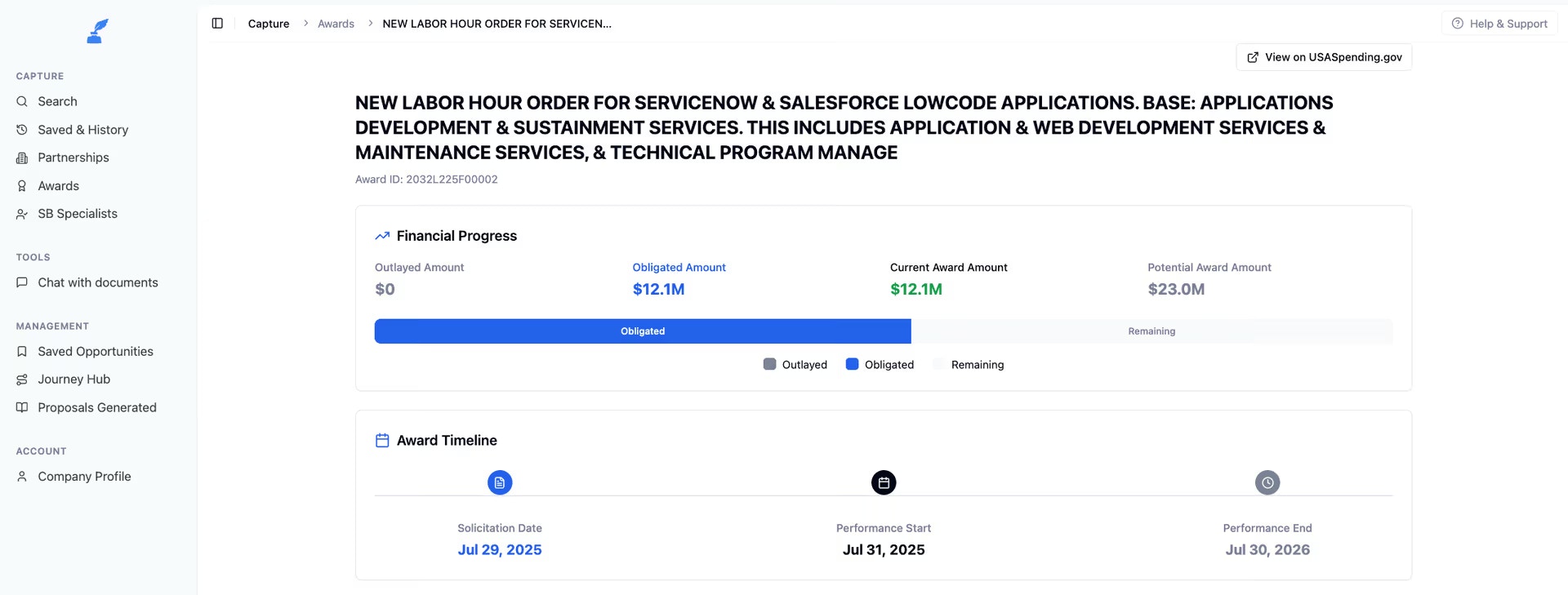
Each award record includes comprehensive information to help you understand the full scope of a contract.
* Total obligation amounts
* Payment patterns over time
* Funding sources and allocations
* Award timelines and dates
* Contract duration and key milestones
* Transaction dates
* Contract details and terms
* Contract modifications
* Modification reasons and justifications
* Vendor performance data
* Transaction history
* Contract amendments
### Viewing Transactions
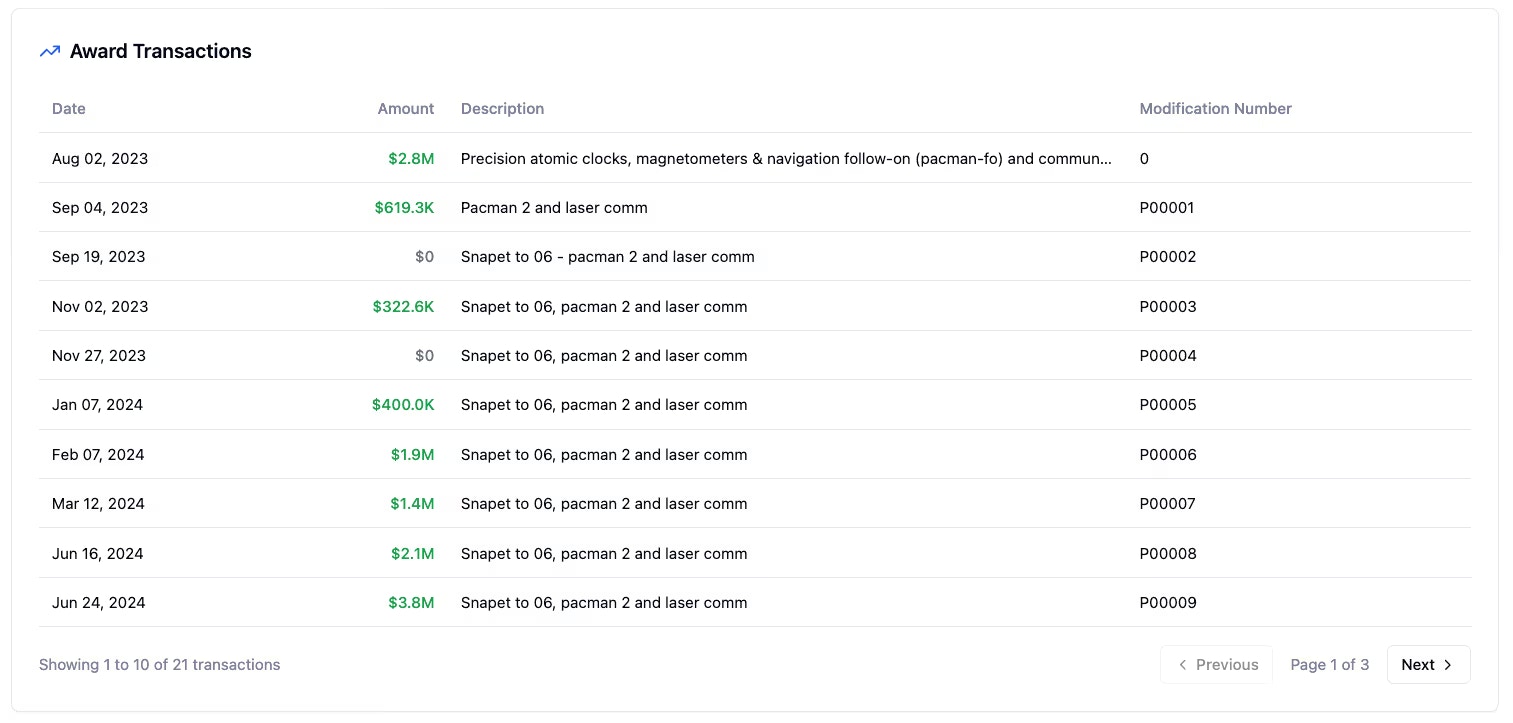
Drill down into individual transactions to see granular details:
* Payment patterns over time
* Contract modifications and amendments
* Funding sources
* Transaction dates and amounts
* Modification reasons
## Overview
The Awards feature provides detailed information on past federal contract awards, enabling you to make data-driven decisions for your government contracting strategy.
View detailed information on past federal contract awards
Analyze spending trends and patterns over time
Track competitor performance and market share
Examine transaction-level details and modifications
## Award Details
Each award record includes comprehensive information to help you understand the full scope of a contract.
* Total obligation amounts
* Payment patterns over time
* Funding sources and allocations
* Award timelines and dates
* Contract duration and key milestones
* Transaction dates
* Contract details and terms
* Contract modifications
* Modification reasons and justifications
* Vendor performance data
* Transaction history
* Contract amendments
### Viewing Transactions
Drill down into individual transactions to see granular details:
* Payment patterns over time
* Contract modifications and amendments
* Funding sources
* Transaction dates and amounts
* Modification reasons
 ## Analytics & Insights
### Spending Trends
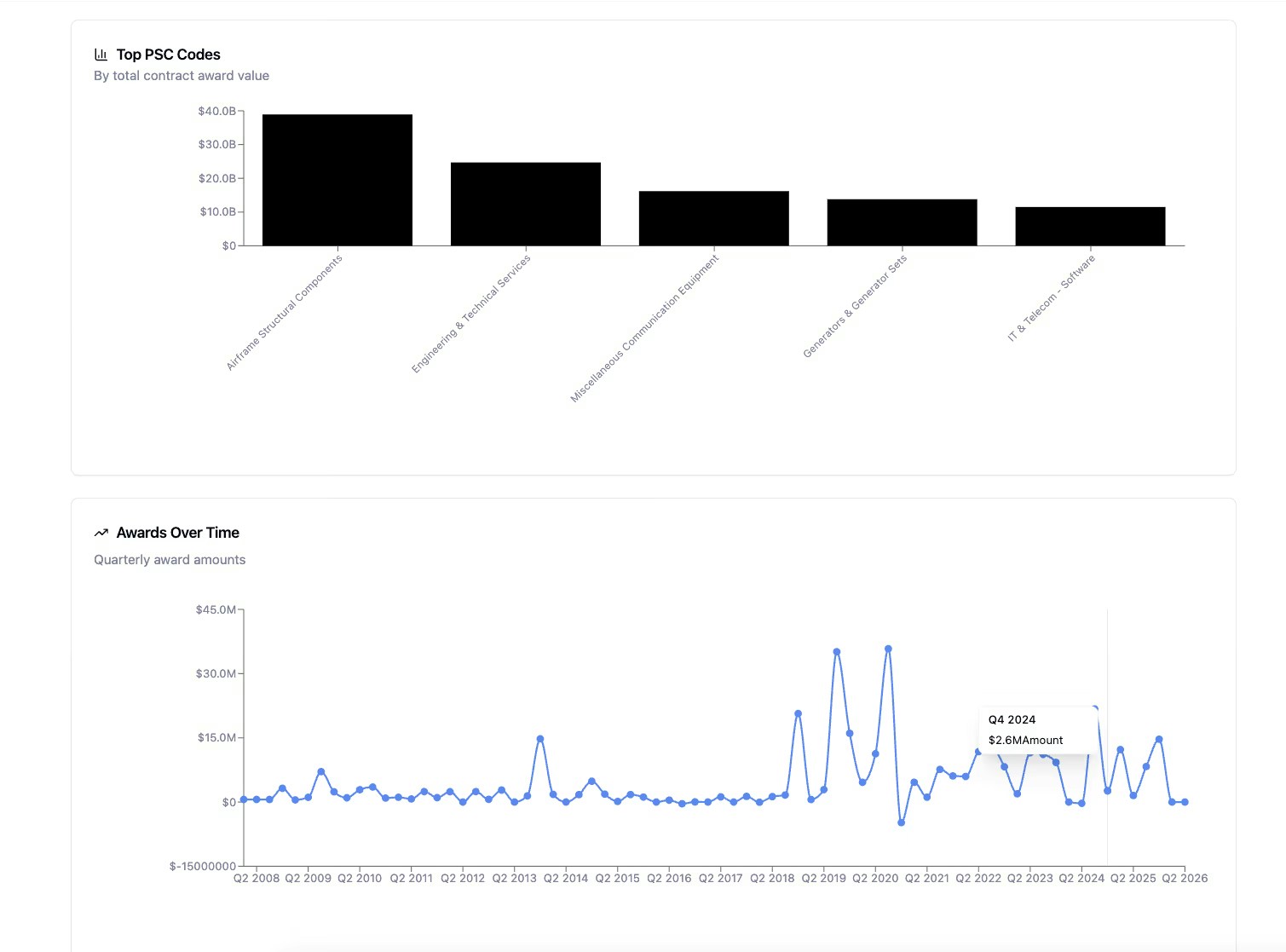
View interactive charts to understand procurement patterns and identify opportunities.
Track award trends over time to identify growth or decline in specific markets.
Identify seasonal fluctuations in procurement activity and peak procurement periods.
Understand budget cycles and spending patterns to time your proposals effectively.
Monitor changes in government priorities and emerging focus areas.
## Analytics & Insights
### Spending Trends
View interactive charts to understand procurement patterns and identify opportunities.
Track award trends over time to identify growth or decline in specific markets.
Identify seasonal fluctuations in procurement activity and peak procurement periods.
Understand budget cycles and spending patterns to time your proposals effectively.
Monitor changes in government priorities and emerging focus areas.
 ### Agency Analytics
Generate comprehensive reports to understand agency spending behavior:
* Agency spending breakdowns
* Sub-agency spending comparisons
* Spending by PSC (Product Service Code)
* Spending by NAICS (North American Industry Classification System) code
Use filters and interactive charts to focus on the data most relevant to your business.
### Competitive Intelligence
Analyze competitor activity to gain strategic market insights:
See who is winning contracts in your market and their win rates by agency and contract type.
Review market share by vendor to understand competitive positioning.
Understand what types of contracts competitors are winning and which agencies they're most active in.
### Agency Analytics
Generate comprehensive reports to understand agency spending behavior:
* Agency spending breakdowns
* Sub-agency spending comparisons
* Spending by PSC (Product Service Code)
* Spending by NAICS (North American Industry Classification System) code
Use filters and interactive charts to focus on the data most relevant to your business.
### Competitive Intelligence
Analyze competitor activity to gain strategic market insights:
See who is winning contracts in your market and their win rates by agency and contract type.
Review market share by vendor to understand competitive positioning.
Understand what types of contracts competitors are winning and which agencies they're most active in.
 ## Use Cases
### Finding Target Agencies
Use awards data to identify agencies that align with your business capabilities.
Start by filtering by your NAICS or PSC codes to narrow down relevant opportunities.
Look for agencies that frequently award contracts in your industry.
Focus on agencies that award contracts in your company's size range (small business, 8(a), etc.).
Review historical patterns to understand procurement cycles and timing.
An agency's spending patterns in your area should align with their mission and budget size.
### Benchmarking Your Pricing
Compare your pricing strategy against historical awards to ensure competitiveness.
Search for awards similar to your offerings (same NAICS/PSC, scope, size).
Review contract values and obligation amounts across multiple awards.
Analyze pricing trends over time to understand market rate changes.
Develop competitive pricing that aligns with market expectations.
When benchmarking pricing, ensure you're looking at similar contract types, scopes, and requirements. Compare apples to apples.
### Understanding Market Dynamics
Identify trends and opportunities in your target market.
Review spending patterns over multiple years to identify long-term trends.
Identify when spending is increasing or decreasing in your area.
Look for seasonal patterns in contract awards to time your proposals.
Spot emerging opportunities based on budget cycles and priority shifts.
### Analyzing Your Competition
Study competitor activity to inform your business development strategy.
Search by vendor name to find their award history.
Analyze their win rates and contract history.
Identify agencies where they're most successful.
Find markets with less competition.
Understand their pricing and market positioning.
## Use Cases
### Finding Target Agencies
Use awards data to identify agencies that align with your business capabilities.
Start by filtering by your NAICS or PSC codes to narrow down relevant opportunities.
Look for agencies that frequently award contracts in your industry.
Focus on agencies that award contracts in your company's size range (small business, 8(a), etc.).
Review historical patterns to understand procurement cycles and timing.
An agency's spending patterns in your area should align with their mission and budget size.
### Benchmarking Your Pricing
Compare your pricing strategy against historical awards to ensure competitiveness.
Search for awards similar to your offerings (same NAICS/PSC, scope, size).
Review contract values and obligation amounts across multiple awards.
Analyze pricing trends over time to understand market rate changes.
Develop competitive pricing that aligns with market expectations.
When benchmarking pricing, ensure you're looking at similar contract types, scopes, and requirements. Compare apples to apples.
### Understanding Market Dynamics
Identify trends and opportunities in your target market.
Review spending patterns over multiple years to identify long-term trends.
Identify when spending is increasing or decreasing in your area.
Look for seasonal patterns in contract awards to time your proposals.
Spot emerging opportunities based on budget cycles and priority shifts.
### Analyzing Your Competition
Study competitor activity to inform your business development strategy.
Search by vendor name to find their award history.
Analyze their win rates and contract history.
Identify agencies where they're most successful.
Find markets with less competition.
Understand their pricing and market positioning.
 ## Best Practices
Start with your specific NAICS or PSC codes rather than browsing all awards. This will give you the most relevant insights and save time.
Review multi-year data to understand patterns rather than focusing on individual awards. Trends reveal opportunities that single data points cannot.
An agency's spending patterns in your area should align with their mission and budget size. Don't expect small agencies to have large contract volumes.
When benchmarking pricing or analyzing competition, ensure you're looking at similar contract types, scopes, and requirements.
Don't just look at initial award amounts. Review transactions to understand how contracts evolve through modifications and extensions.
**Pro Tip:** Combine multiple filters to narrow down your analysis. For example, filter by NAICS code, agency, and contract size simultaneously to find the most relevant comparable awards.
## Best Practices
Start with your specific NAICS or PSC codes rather than browsing all awards. This will give you the most relevant insights and save time.
Review multi-year data to understand patterns rather than focusing on individual awards. Trends reveal opportunities that single data points cannot.
An agency's spending patterns in your area should align with their mission and budget size. Don't expect small agencies to have large contract volumes.
When benchmarking pricing or analyzing competition, ensure you're looking at similar contract types, scopes, and requirements.
Don't just look at initial award amounts. Review transactions to understand how contracts evolve through modifications and extensions.
**Pro Tip:** Combine multiple filters to narrow down your analysis. For example, filter by NAICS code, agency, and contract size simultaneously to find the most relevant comparable awards.