> ## Documentation Index
> Fetch the complete documentation index at: https://docs.samsearch.co/llms.txt
> Use this file to discover all available pages before exploring further.
# Agency, NAICS & PSC Analytics
> Spending, contracts, and contacts for a specific federal agency, sub-agency, office, NAICS code, or PSC code
## Overview
Agency, Sub-Agency, Office, NAICS, and PSC pages are the detail pages behind [Market Watch](/features/market-watch)'s search and leaderboards — each one shows spending history, active contracts and opportunities, and relevant contacts for that specific entity. They're also the destination whenever you click a NAICS code, PSC code, agency name, or sub-agency name anywhere else in SamSearch — Federal, SLED, and Canada contract classification sections, Award Detail's Classification and Agency fields, and your Company Profile's NAICS/PSC shortcuts on Market Watch all link here.
**None of these five pages require the SLED add-on.** Unlike [Awards](/features/awards), [Partnerships](/features/partnerships), and [SB Specialists](/features/sba), any authenticated, entitled account can open an Agency, Sub-Agency, Office, NAICS, or PSC page directly. The one exception is if you click through into full Award Search results from one of these pages — that destination does require the SLED add-on.
## How you reach them
* **Market Watch** — search an agency, NAICS code, or PSC code, or click a leaderboard row.
* **Contract pages** — the Classification section on Federal, SLED, Canada, DIBBS, and other contract types links their NAICS and PSC codes here; the Agency/Sub-Tier/Office fields on Federal contracts link there too.
* **Award pages** — the Classification section on an [Award Detail](/features/awards#award-details) page links its NAICS and PSC codes (with a category breadcrumb) and its Agency/Sub-Agency.
* **Your Company Profile** — Market Watch's "Your profile" shortcut row links straight to the NAICS/PSC pages for the codes on file.
## Agency and Sub-Agency pages
Agency and Sub-Agency pages share the same layout:
* **Header:** the agency's seal (or a monogram), a *Federal agency* or *Sub-agency* label, and **Pin** and **Ask Sammy** buttons. See [Ask Sammy from Market Watch](/features/market-watch#ask-sammy-from-market-watch) for the prompts.
* **Stat strip:** **Obligated · last 3 FY**, **Latest quarter** (the most recent complete quarter), **Top NAICS**, and **Top prime**.
* **Spending over time card:** captioned **"Quarterly contract obligations · last 3 fiscal years · USAspending"**, with three views:
* **Trend:** quarterly obligations, with the current in-progress quarter drawn as a dashed "to date" segment.
* **Breakdown:** contracts stacked with **Grants & assistance**, with a total for each.
* **Table:** the same figures quarter by quarter (Contracts, Grants & assistance, Total).
* **Three tabs** (described below): **Contracts & Opportunities**, **Spending & Awards**, and **Subagencies & Contacts** (Agency page) or **Offices & Contacts** (Sub-Agency page).
### Contracts & Opportunities: the opportunity pipeline
This tab starts with **Active Contract Opportunities** from the agency, followed by five pipeline cards. On a Sub-Agency page each card is scoped to that sub-agency. Each card lets you choose how many rows to show (**10 / 20 / 50**), and every row has an **Ask Sammy** menu tailored to that kind of item.
| Card | What it shows |
| - | - |
| **Events & industry days** | Industry days, vendor outreach sessions, and pre-solicitation conferences the agency has posted to SAM.gov (as Special Notices, Sources Sought, or Presolicitations), newest first. The **Respond / RSVP by** date turns red or amber as the deadline approaches. Click a row to open the notice. **View all in Search** runs the same query in [Search](/features/search). |
| **Forecast** | The agency's published procurement forecast: Requirement, NAICS, Set-aside, Est. value, and Est. solicitation. Only an exact agency match counts, so a department won't show one of its components' forecasts. If an agency doesn't publish a consolidated forecast, the card says so and suggests opening a sub-agency instead. Click a row to open the [forecast](/features/contract-overview/forecasts). |
| **Recompetes** | Contracts from this agency that end in the next 24 months, soonest first: Contract, Incumbent, Value, Ends (with an "in N mo" countdown), NAICS, and Set-aside. Click a row to open the [Recompete](/features/contract-overview/recompete) record. **View all in Search** opens the same list in Search's Recompete tab. |
| **Subcontract awards** | Subawards reported to FSRS under this agency's prime contracts over the last 3 fiscal years, most recent first: Subcontractor, Amount, Date, Prime contractor, and Sub-agency. Click a row to open the prime award. An amount of \$10B or more is shown greyed out with an asterisk, because it's almost certainly a data-entry error in what was reported. |
| **Contract vehicles** | Recently awarded IDIQs, GWACs, BPAs, and schedules, newest first: Vehicle, Holder, Sub-agency, Awarded, **Ordering through** (or *Open-ended*), and **Orders to date**. Click a row to open the vehicle's award page. |
When SamSearch can't match an agency to a data source (the notice index, the forecast index, or the recompete index), the card says so plainly rather than showing an empty table.
### Spending & Awards
This tab has four tables: **Top Award Recipients**, **Recent Contract Awards**, **Top NAICS Codes**, and **Top PSC Codes**. Hover a Top Award Recipients row for contractor-focused Ask Sammy prompts. Click a NAICS or PSC row to open that code's page, or a recent award to open [Award Detail](/features/awards#award-details).
### Subagencies & Contacts (Agency page)
* **Sub-agencies & offices** is an expandable hierarchy of the agency's sub-agencies, ranked by contract obligations for the selected fiscal year. Use the fiscal-year dropdown to choose the current year to date or either of the two prior years. Each sub-agency row shows its seal, obligations, number of offices, transactions, and new awards:
* Click the name to open the Sub-Agency page. Hover the row for **Ask Sammy** and **Pin**.
* Click the chevron to expand the sub-agency's **contracting offices**, each with its own office code, obligations, transactions, and new awards. The first 10 offices show, with a **Show all N offices** link for the rest.
* Click an office to open its Office page. Hover it for office-focused Ask Sammy prompts.
If USAspending reports no obligations for an agency, the card falls back to a plain list of sub-agency names from the contract index.
* **Agency Contacts** (Name, Office, Email) and **Small Business Specialists** (Name, Title, Agency, Email, Phone; the same data as [SB Specialists](/features/sba)). Both tables let you choose 10, 20, or 50 rows per page. If you've connected Google or Microsoft in [Integrations](/features/integrations), email and meeting shortcuts appear next to each email address.
### Offices & Contacts (Sub-Agency page)
The Sub-Agency page lists its **Offices**, **Sub-Agency Contacts**, and **Small Business Specialists**.
## Office pages
An Office page covers a single contracting office. It uses the same header style as the other pages: the parent agency's seal, a *Contracting office* label, the parent agency and office code (when known) as the subtitle, and **Pin** and **Ask Sammy** buttons. It has no spending chart. Its stat strip shows **Open opportunities**, **Total posted**, and **Contacts**, and it has two tabs:
* **Contracts:** a compact table of the office's federal opportunities (Opportunity, Type, Response due, and Classification). Each opportunity shows its set-aside, place of performance, and posted date. The due date shows *in N days* (red within a week, amber within 30 days), *Today*, or *Closed*. Click a row to open the opportunity, or click its NAICS/PSC code to open that code's page.
* **Contacts:** the people on file for the office, with their title and email. Click a name to open their [contact page](#contact-pages). Each contact has an **Ask Sammy** menu with *Draft an intro email* and *Prep me for outreach*.
When you open an office from an agency's hierarchy, SamSearch matches it by its office code for an exact result. If that lookup returns nothing, it falls back to matching by office name.
## NAICS pages
NAICS and PSC pages use the same header as Agency pages (Pin, Ask Sammy, and a stat strip of **Obligated · last 3 FY**, **Latest quarter**, **Top buyer**, and **Top prime**) and the same quarterly spending chart, trend view only (no Breakdown or Table switch). They don't have the pipeline cards or the Sub-agencies & offices hierarchy described above.
The NAICS page is the richest page in this group. Its Contracts & Opportunities tab has four sections instead of one: active **Federal Government Contracts**, active **Subcontracting Opportunities**, **Forecast Opportunities**, and an **Expiring Contracts (6–12 Months)** section.
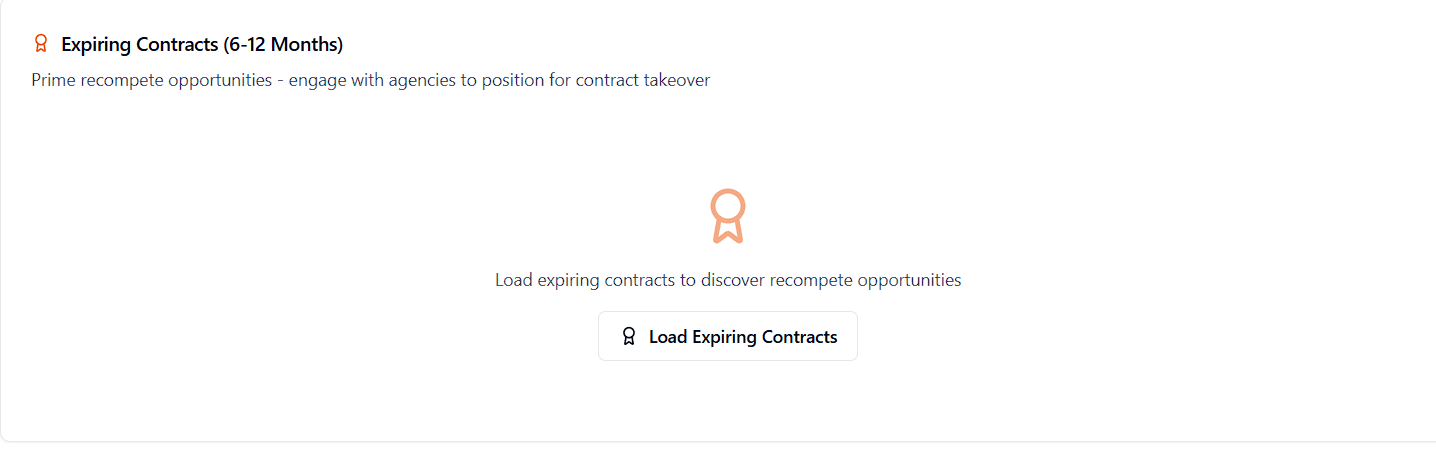 Expiring Contracts isn't loaded automatically — click **Load Expiring Contracts** to run the query. It surfaces prime awards whose period of performance ends in the next 6–12 months, framed as recompete targets to engage early.
This is a plain USAspending query on award end dates — it's a different, simpler feature from the AI-scored [Recompete](/features/contract-overview/recompete) predictions (Contract Readiness, Agency Buying Pattern, confidence tiers). Both surface "expiring soon" opportunities, but only Recompete carries the AI scoring.
The rest of the page mirrors Agency/Sub-Agency: a Spending & Awards tab (Top Awarding Agencies/Sub-agencies, Top Recipients, Recent Awards) and a Partnerships & Contacts tab (small-business contacts for the agencies buying in this NAICS code, plus NAICS-matched potential partners from the same [DSBS-backed dataset](/features/partnerships) as Partnerships).
If a NAICS code isn't in SamSearch's classification data, the page tells you so and — where possible — suggests the parent category, broader category, and related sibling codes instead of a dead end.
## PSC pages
The PSC page follows the same shape as NAICS but slimmer: Contracts & Opportunities covers Federal Government Contracts and Expiring Contracts (6–12 Months) only — no subcontracting or forecast sections — plus Spending & Awards and an Agency Contacts tab.
## Contact pages
Clicking a person's name anywhere it appears as a link (Federal, SLED, Canada, and Forecast contact fields; the Agency and Office contact tables above) opens that person's Contact page — every active federal contract listing that person as the primary contact, with their email and phone pulled from the first matching contract. There's no spending history, no LinkedIn-style enrichment, and no separate "profile" beyond that contract list — if you need broader outreach targets for an agency, use the Agency Contacts or [SB Specialists](/features/sba) tables instead.
Market Watch's spending-trend windows and this cluster's windows are different on purpose: leaderboards on the Market Watch page itself use a trailing **12-month** window, while the trend chart on Agency, Sub-Agency, NAICS, and PSC pages uses a trailing **3 fiscal years**. See [Market Watch](/features/market-watch#drilling-into-an-entity) for why.
Expiring Contracts isn't loaded automatically — click **Load Expiring Contracts** to run the query. It surfaces prime awards whose period of performance ends in the next 6–12 months, framed as recompete targets to engage early.
This is a plain USAspending query on award end dates — it's a different, simpler feature from the AI-scored [Recompete](/features/contract-overview/recompete) predictions (Contract Readiness, Agency Buying Pattern, confidence tiers). Both surface "expiring soon" opportunities, but only Recompete carries the AI scoring.
The rest of the page mirrors Agency/Sub-Agency: a Spending & Awards tab (Top Awarding Agencies/Sub-agencies, Top Recipients, Recent Awards) and a Partnerships & Contacts tab (small-business contacts for the agencies buying in this NAICS code, plus NAICS-matched potential partners from the same [DSBS-backed dataset](/features/partnerships) as Partnerships).
If a NAICS code isn't in SamSearch's classification data, the page tells you so and — where possible — suggests the parent category, broader category, and related sibling codes instead of a dead end.
## PSC pages
The PSC page follows the same shape as NAICS but slimmer: Contracts & Opportunities covers Federal Government Contracts and Expiring Contracts (6–12 Months) only — no subcontracting or forecast sections — plus Spending & Awards and an Agency Contacts tab.
## Contact pages
Clicking a person's name anywhere it appears as a link (Federal, SLED, Canada, and Forecast contact fields; the Agency and Office contact tables above) opens that person's Contact page — every active federal contract listing that person as the primary contact, with their email and phone pulled from the first matching contract. There's no spending history, no LinkedIn-style enrichment, and no separate "profile" beyond that contract list — if you need broader outreach targets for an agency, use the Agency Contacts or [SB Specialists](/features/sba) tables instead.
Market Watch's spending-trend windows and this cluster's windows are different on purpose: leaderboards on the Market Watch page itself use a trailing **12-month** window, while the trend chart on Agency, Sub-Agency, NAICS, and PSC pages uses a trailing **3 fiscal years**. See [Market Watch](/features/market-watch#drilling-into-an-entity) for why.